

Creative magic panel
Photoshop panels and plugins designed to boost creativity and accelerate photo editing workflows with advanced tools and AI features.
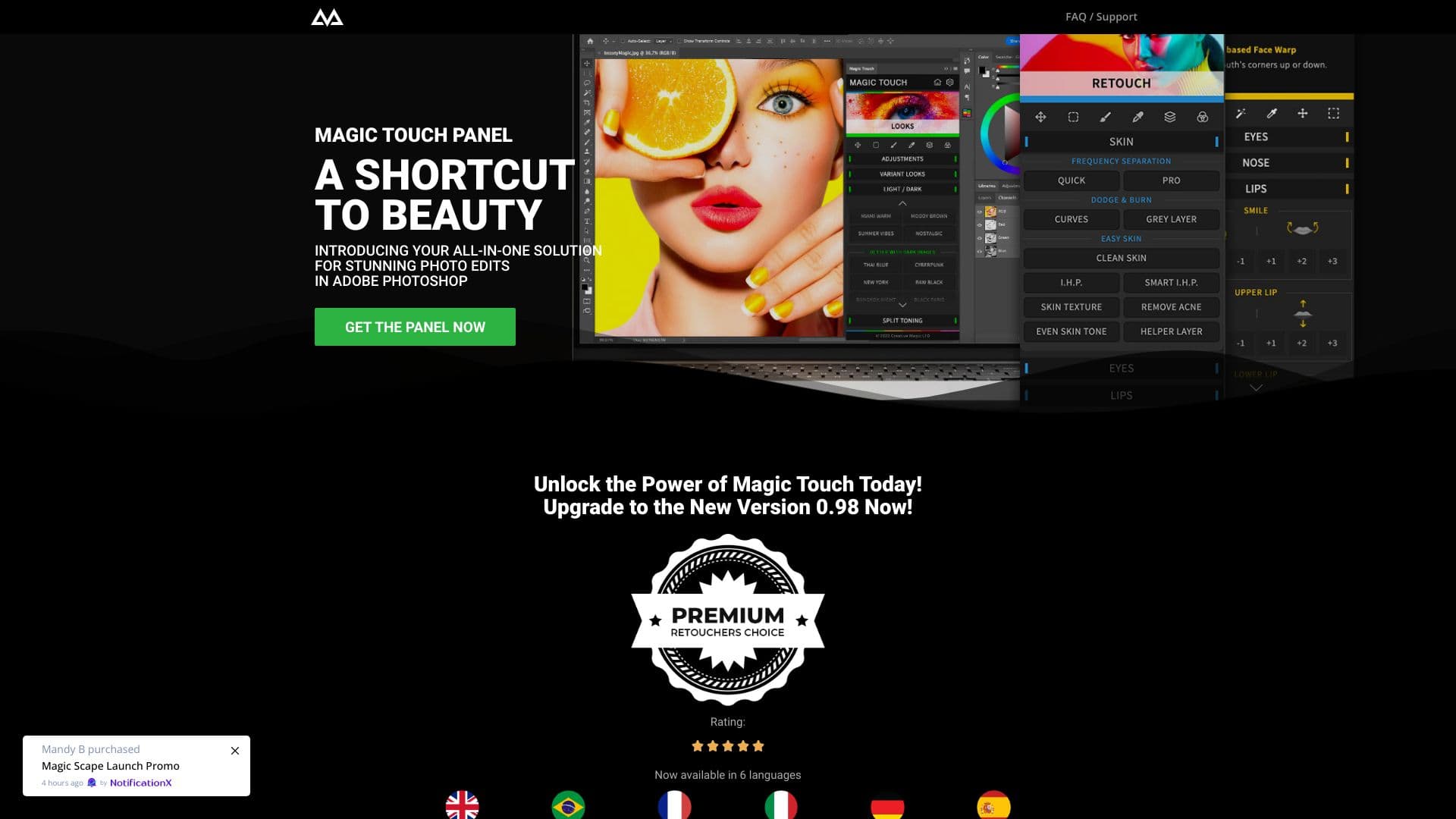
About Creative magic panel
CreativeMagicPanel offers innovative Photoshop panels and plugins that elevate creativity and streamline photo editing tasks. Popular products like the Magic Touch Panel and Color Match Pro provide AI-powered functionalities, extensive features, and unlimited photo edits with a single purchase. These tools simplify complex retouching processes, enabling professionals and enthusiasts to achieve stunning results quickly and efficiently.
How to Use
Download and install the panel or plugin into Adobe Photoshop. Access the features directly within Photoshop to perform one-click edits, AI-based adjustments, and apply custom overlays effortlessly.
Features
- Quick skin retouching for natural results
- Ready-to-use stylish looks with a single click
- Over 280 advanced tools and features
- AI-powered face and body recognition
- Pro-level retouching in seconds
- Smart, intelligent editing settings
Use Cases
- Skin enhancement and smoothing
- Creative color grading
- Portrait retouching
- Fixing image imperfections
- Color matching across photos
- Applying trendy overlays and effects
Best For
Pros
- Extensive collection of features and looks
- AI-driven tools for faster editing
- Intuitive and easy-to-use interface
- Compatible with Mac and Windows
- One-time purchase with lifetime access
- Unlimited photo edits
Cons
- Requires Adobe Photoshop to operate
- Older extensions may need Rosetta Mode on Apple Silicon Macs
- Some features require newer Photoshop versions
Pricing Plans
Choose the perfect plan. All plans include 24/7 support.