

Cutouts
Advanced clipboard management tool that saves and organizes web content using machine learning technology.
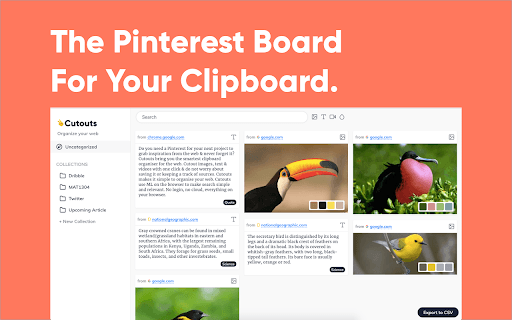
About Cutouts
Cutouts is an intelligent browser extension that enables users to quickly save images, text, and videos with a single click. It leverages machine learning locally within the browser to simplify search and organization. Designed for creators, researchers, and marketers, it streamlines collecting inspiration and data from the web for various projects.
How to Use
Browse the web and save images, text snippets, or videos instantly with one click. The extension automatically tags and categorizes your content, making it easy to search and manage. No account setup is needed to get started.
Features
- Generate color palettes directly from images
- Capture and save text highlights and web links
- Organize saved content into customizable collections
- Create moodboards by saving images and videos
- Auto-tag and sort saved items for quick retrieval
- All data is processed securely within your browser
Use Cases
- Gathering inspiration for articles and campaigns
- Organizing web content for future reference
- Collecting research data efficiently
- Designing moodboards for creative projects
Best For
Content creatorsMarketing professionalsAdvertising specialistsAcademic researchersGraphic designersWriters and bloggers
Pros
- Export data as CSV files for easy sharing
- Ensures privacy by processing data locally
- Automated tagging and organization features
- Simplifies saving and managing web content
- Completely free without requiring registration
- No sign-up needed for immediate use
Cons
- Browser-based machine learning may impact performance on some devices
- Limited to functionality within the browser extension environment
FAQs
Is a sign-up required to use Cutouts?
No, you can use all features without creating an account.
Is there a cost to using Cutouts?
Yes, Cutouts is completely free to use.
How is my privacy protected when using Cutouts?
Your data remains private because all processing occurs locally in your browser.
Can I export my saved content from Cutouts?
Yes, you can export your data in CSV format for backup or sharing.
Does Cutouts support multiple content types?
Yes, it allows saving images, videos, text highlights, and links efficiently.