

Data Normalizer
An AI-powered tool designed to automatically normalize and standardize data, correcting inconsistencies and errors with ease.
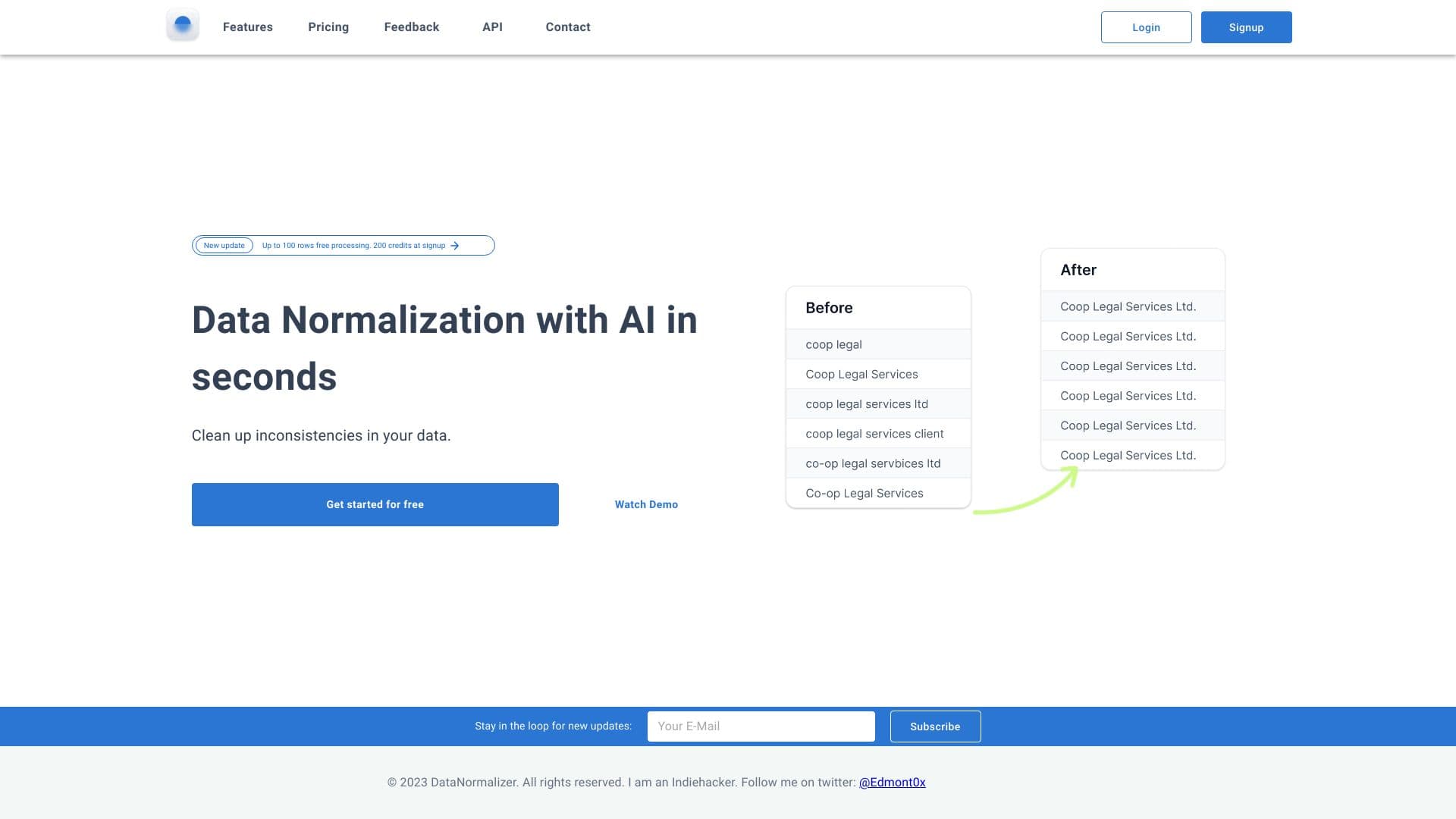
About Data Normalizer
DataNormalizer is an advanced AI-powered platform that quickly normalizes and standardizes datasets. It automatically corrects spelling mistakes, formatting inconsistencies, and abbreviations in CSV and Excel files, ensuring high data quality and consistency across your projects.
How to Use
Upload your CSV or Excel files to the DataNormalizer platform. The AI automatically identifies and corrects errors, standardizes formatting, and normalizes data. You can then download the cleaned dataset for use.
Features
- AI-powered data normalization and cleaning
- Automatic correction of typos and formatting issues
- Standardizes inconsistent spelling and abbreviations
- Supports CSV and Excel file formats
- Handles synonym variations and number formatting
Use Cases
- Standardizing abbreviations like Ltd. and Limited
- Correcting manual data entry errors
- Unifying capitalization styles (e.g., Apple vs APPLE)
- Fixing spelling mistakes such as serbices vs services
- Normalizing formatting inconsistencies like Co-op and Coop
- Resolving synonym discrepancies like Attorney and Lawyer
- Standardizing number formats such as 1,000 and 1000
Best For
Pros
- Offers a free trial for initial testing
- Supports both CSV and Excel files
- Includes free reprocessing on errors for paid plans
- Enhances data quality and consistency
- Automates time-consuming data normalization tasks
- Provides fast processing speeds with premium plans
Cons
- Free plan has limited processing priority
- Free version restricts files to 25 rows
- Credit-based pricing may be costly for very large datasets
Pricing Plans
Choose the perfect plan. All plans include 24/7 support.
1,000 Credits
Process unlimited rows with priority processing. Supports CSV and Excel, with free reprocessing on errors. 1 credit per row.
Get Started5,000 Credits
Unlimited row processing with fast performance. Supports CSV and Excel, includes free reprocessing on errors. 1 credit per row.
Get Started10,000 Credits
High-volume data processing with quick turnaround. Supports CSV and Excel, with free reprocessing. 1 credit per row.
Get Started25,000 Credits
Ideal for large datasets, offering unlimited rows and rapid processing. Supports CSV and Excel, with free reprocessing.
Get Started100,000 Credits
Designed for extensive data projects, providing unlimited rows and fast processing. Supports CSV and Excel.
Get Started1,000,000 Credits
Best for enterprise-scale data cleaning, with unlimited rows and swift processing speeds. Supports CSV and Excel formats.
Get Started