

DeClassIFY
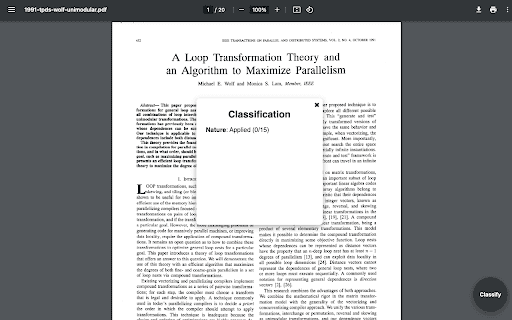
DeClassIFY efficiently categorizes PDF documents, helping you save valuable time.
About DeClassIFY
DeClassIFY instantly categorizes PDF files, enabling you to avoid hours of sifting through irrelevant content and focus on what matters.
How to Use
Simply upload your PDFs to DeClassIFY to quickly categorize and organize your documents without lengthy reading.
Features
- Rapid PDF categorization
Use Cases
- Efficiently organize large collections of PDF files
- Filter out irrelevant documents quickly
- Streamline document management workflows
Best For
StudentsBusiness professionals managing multiple PDFsResearchers and academicsLegal and financial teamsContent creators
Pros
- Speeds up document sorting processes
- Reduces time spent reading irrelevant content
- Enhances productivity with quick classification
Cons
- Limited details on advanced features
- Functional specifics may vary depending on document complexity
FAQs
What is DeClassIFY used for?
DeClassIFY quickly categorizes PDF documents to improve organization.
How does DeClassIFY save time?
It automates PDF classification, reducing hours spent manually sorting files.
Is DeClassIFY suitable for large PDF collections?
Yes, it efficiently handles large volumes of PDF files for quick sorting.
Can DeClassIFY improve document management?
Absolutely, it streamlines how you organize and access your PDFs.
Is there a free trial available?
Pricing details are not provided; check the official website for trial options.