

Description Generator
Chrome extension that automatically generates detailed descriptions for Alation catalog assets using ChatGPT, enhancing documentation efficiency.
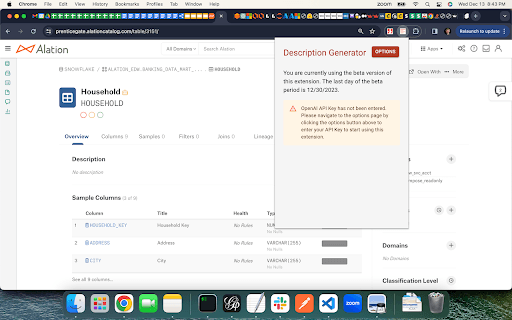
About Description Generator
This Chrome extension streamlines the process of documenting data assets in Alation by automatically generating descriptions for schemas, tables, columns, terms, policies, and queries through ChatGPT. It reduces manual effort, accelerates catalog population, and improves data governance practices.
How to Use
Install the extension in Chrome by loading the unpacked version. Pin it for quick access. Sign up for the beta and verify your account through the extension settings. Enter your OpenAI API key. Refresh or log out and back into Alation. Navigate to a data asset page and click the extension icon to generate multiple description options. Copy your preferred description into Alation.
Features
- Automated generation of descriptions for Alation catalog items using ChatGPT
- Provides up to three sample descriptions per asset
- Supports schemas, tables, columns, terms, policies, and queries
- Includes right-click menu for quick access
- Compatible with on-premises and cloud-hosted Alation environments
Use Cases
- Enhance data governance with comprehensive catalog descriptions
- Accelerate documentation of data assets to save time
- Encourage wider participation in catalog maintenance
Best For
Pros
- Speeds up documentation of Alation catalog assets
- Simple installation and user-friendly interface
- Boosts data understanding and governance
- Promotes active user engagement in catalog management
Cons
- Quality of descriptions depends on ChatGPT’s performance
- Initial setup and configuration are required
- Requires a valid ChatGPT account and API key
- May need multiple attempts to generate suitable descriptions