

Detect GPT
Chrome extension for detecting AI-generated content on web pages.
About Detect GPT
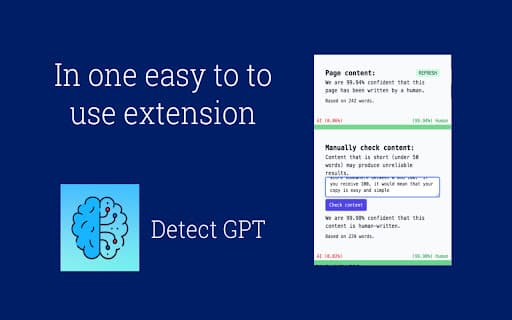
DetectGPT is a Chrome extension that helps identify AI-generated content while browsing online. It uses advanced AI technology to determine if webpage text was produced by AI tools like ChatGPT, GPT-3.5, GPT-3, GPT-J, GPT-NEO, or GPT-2. Users can perform manual checks by copying and scanning text or conduct automatic scans of entire pages.
How to Use
Install the Chrome extension. For specific text verification, copy the text, right-click, and select “Scan with DetectGPT,” or paste it into the manual check area. To scan an entire page, open the extension on the webpage, click refresh, and review the results displayed.
Features
- Automatic scanning of entire web pages
- No account registration required
- Detects AI-generated content accurately
- Manual text verification option
Use Cases
- Verifying AI-generated content in search results
- Checking the originality of online articles
- Identifying AI-written academic or blog content
Best For
WebmastersContent creatorsSEO professionalsEducatorsContent editors
Pros
- Identifies content produced by multiple AI models
- No account or sign-up needed
- Supports both manual and automatic scanning
- Simple to use with Chrome browser
Cons
- Detection may produce false positives or negatives
- Less effective against heavily paraphrased AI content
- Accuracy depends on text complexity and length
FAQs
How reliable is DetectGPT in identifying AI-generated content?
DetectGPT achieves approximately 94% accuracy with GPT-3 outputs. However, no detection method is perfect, and some false positives or negatives may occur. Results improve with larger sample sizes.
Is a user account required to use DetectGPT?
No, there is no account or registration needed. You can install the extension and start scanning immediately.
Which AI models can DetectGPT recognize?
DetectGPT can identify content generated by ChatGPT, GPT-3.5, GPT-3, GPT-J, GPT-NEO, and GPT-2 models.
Can DetectGPT scan entire web pages automatically?
Yes, it offers automatic page scanning to quickly analyze all visible content on a webpage.
How do I perform a manual text scan with DetectGPT?
Copy the desired text, right-click, select “Scan with DetectGPT,” or paste it into the manual check area for analysis.