

devgen
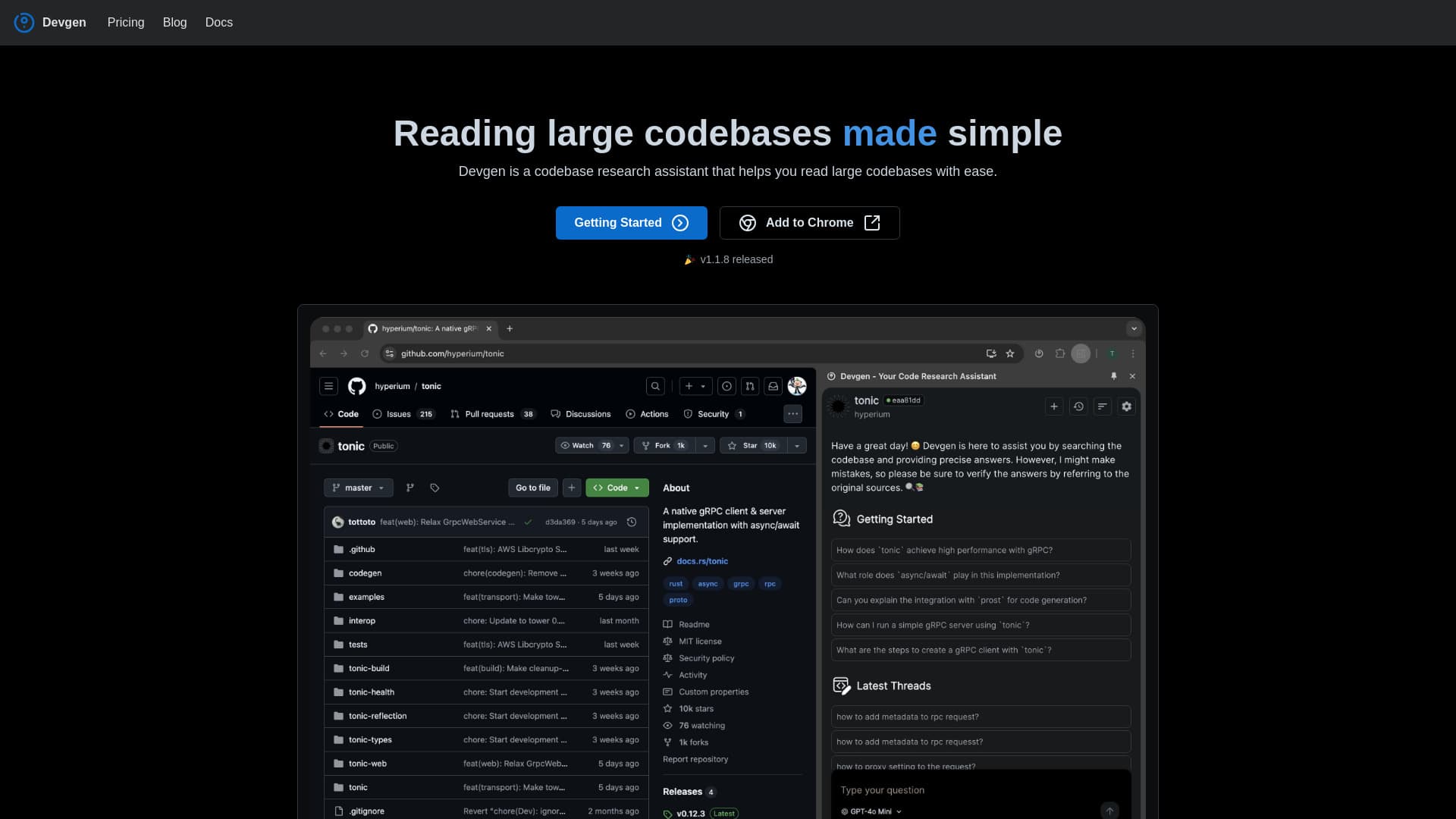
Devgen is an advanced research assistant designed to simplify code comprehension and analysis, making it easier to understand large codebases quickly.
About devgen
Devgen acts as a powerful codebase research assistant, enabling developers to navigate and understand extensive codebases effortlessly. It offers quick answers from your code, clarifies code components, assists with troubleshooting, and streamlines pull request and code patch reviews. Seamlessly integrated with GitHub issues and pull requests, Devgen enhances collaboration and accelerates problem-solving.
How to Use
Install Devgen in your Chrome browser. Use it to extract answers from your codebase, analyze code elements, troubleshoot issues, and review pull requests and code patches. To discuss GitHub issues or pull requests, right-click on the page and select 'Add to Chat' for instant integration and collaboration.
Features
- AI-powered codebase analysis
- Chat support for pull requests
- Chat support for commits
- Chat support for GitHub issues
Use Cases
- Find existing solutions for specific development needs
- Review and interpret code changes efficiently
- Identify and understand key code components
- Obtain accurate answers from large codebases with relevant references
- Streamline pull request and code patch reviews
Best For
Pros
- Delivers fast, accurate answers from complex codebases
- Simplifies understanding of large codebases
- No programming skills needed for reviewing code changes
- Enhances collaboration on GitHub issues and pull requests
Cons
- Requires the Chrome browser for operation
- Pricing details are currently unavailable