

DigitalPage Web Clipper
An AI-driven platform for efficiently summarizing, saving, linking, and sharing web pages to enhance productivity.
About DigitalPage Web Clipper
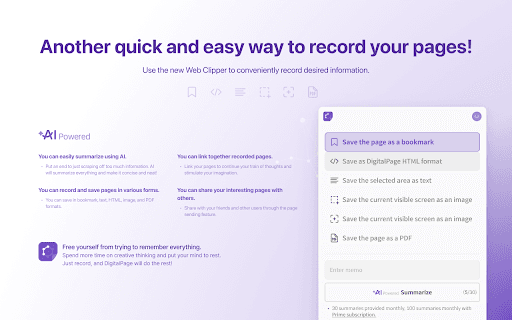
DigitalPage is an intuitive tool that leverages artificial intelligence to generate concise summaries of web content. It simplifies saving and organizing web pages in multiple formats, enables linking related pages to foster creative thinking, and makes sharing easy. Designed to reduce information overload, it helps users focus on innovative tasks while managing digital content effortlessly.
How to Use
Use DigitalPage to capture web pages, and the AI will automatically generate summaries. Save pages in various formats, connect related content through linking, and share your collections seamlessly with others.
Features
- AI-driven content summarization
- Link related web pages to organize knowledge
- Share web pages effortlessly
- Save pages in multiple formats including bookmarks, text, HTML, images, and PDFs
Use Cases
- Creating a knowledge base by linking related pages
- Archiving important web content for offline access
- Sharing interesting articles or findings with colleagues
- Quickly summarizing research articles for efficient understanding
Best For
Knowledge professionalsStudents and learnersContent creators and bloggersProject coordinatorsResearchers and scholarsWriters and authors
Pros
- Connecting related pages enhances creativity and organization
- AI summaries save time and streamline research
- Easy sharing promotes collaboration
- Supports multiple formats for flexible saving
Cons
- Pricing details are not specified
- AI summaries may occasionally require manual refinement
- Learning to utilize all features effectively may take time
FAQs
In which formats can I save web pages?
You can save web pages as bookmarks, text files, HTML, images, or PDFs.
How does linking pages improve creativity?
Linking related pages helps you connect ideas, fostering creative thinking and better organization.
What sharing options are available?
You can easily share pages with others through built-in sharing features.
Can I use DigitalPage offline?
Yes, you can save web pages in formats like PDF or HTML for offline access.
Is there a mobile version of DigitalPage?
DigitalPage is compatible with mobile devices, allowing easy access and management on the go.