

Docky.AI: ChatGPT Sidebar & Smart Assistant
A versatile AI assistant designed for answering questions, reading comprehension, writing support, and various text operations.
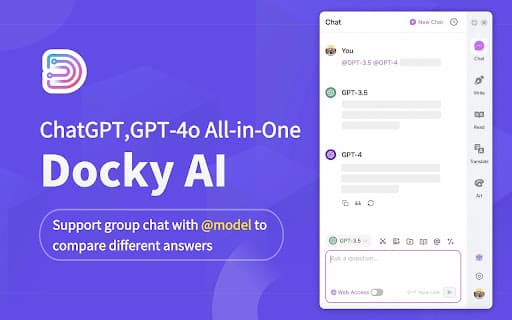
About Docky.AI: ChatGPT Sidebar & Smart Assistant
Discover your all-in-one AI assistant capable of answering questions, enhancing reading and writing tasks, and performing over a dozen advanced text operations. Easily access GPT-4 for smarter interactions or switch to GPT-3.5 for quick responses. Activate features instantly by selecting text for explanations, translations, or expansions. Seamlessly integrated into your workspace with sidebar and text menu support, making complex text tasks simple and efficient.
How to Use
Interact with the AI assistant by posing questions, selecting text for explanations, translations, or expansions, and toggling between GPT-3.5 and GPT-4 models for tailored responses. Use the sidebar or text menu for quick access.
Features
- Advanced text tools for explanations, translations, and expansions
- Supports GPT-3.5 and GPT-4 for intelligent conversations
Use Cases
- Translating content between languages
- Expanding on selected text with detailed information
- Assisting with reading comprehension and writing tasks
- Explaining complex or difficult passages
- Providing answers on various topics
Best For
Pros
- Supports both GPT-3.5 and GPT-4 models for versatile use
- Enables deep, intelligent conversations
- Offers a wide range of text tools for different needs
- Easy access within the sidebar and text menu
Cons
- Some features are still in development
- AI responses may vary in accuracy or completeness
- Requires internet connection for optimal performance