

Dreamstime Auto Submit
An efficient tool designed to automate the submission of AI-generated images to Dreamstime, with enhanced features for streamlined workflow.
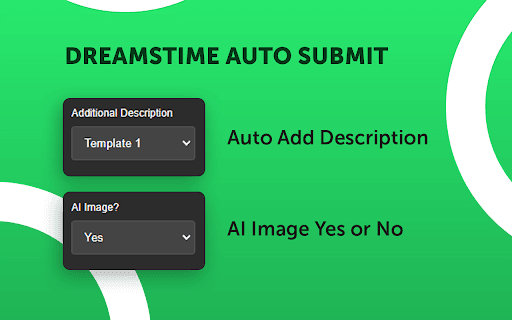
About Dreamstime Auto Submit
Demo Dreamstime Auto Submit simplifies the process of uploading AI-generated images to the Dreamstime stock photo platform. It offers functionalities such as automatic descriptions, configurable repeat counts, delays, pauses after uploads, and sleep intervals to optimize your workflow.
How to Use
Configure the tool to automatically upload AI-generated images to Dreamstime. Set parameters like descriptions, repeat frequency, delays, pauses, and sleep intervals for efficient batch processing.
Features
- Automates bulk image uploads
- Customizable sleep intervals between uploads
- Adds descriptions automatically
- Sets repeat upload counts
- Includes pause after each submission
- Configurable delay settings
Use Cases
- Efficiently uploading large volumes of AI-generated images to Dreamstime
- Saving time for stock photo contributors
- Automating repetitive image submission tasks
- Managing multiple uploads with customized settings
- Enhancing visibility of AI art on stock platforms
Best For
Stock photo contributorsAI artistsDigital content creatorsPhoto editorsStock image agencies
Pros
- Reduces time and manual effort
- Offers flexible configuration options
- Improves image visibility on Dreamstime
- Automates repetitive upload tasks
Cons
- Quality of AI images influences effectiveness
- Requires a Dreamstime account
- Initial setup may be needed
- Potential terms of service risks if misused
FAQs
What features does the Dreamstime automation tool include?
It offers automated image uploads, automatic descriptions, adjustable repeat counts, delays, pauses, and sleep interval controls.
Is this tool free to use?
Yes, licensing options are available upon request, including free usage upon approval.
Can I customize upload settings?
Absolutely. You can set descriptions, delays, repeat counts, and pauses to suit your workflow.
Does it support bulk image uploads?
Yes, the tool is designed for efficient batch uploading of multiple images at once.
What are the main benefits of using this tool?
It saves time, automates repetitive tasks, and helps increase your images' visibility on Dreamstime.
Are there any restrictions or risks?
Proper use is essential to avoid violating Dreamstime’s terms, and image quality impacts success.