

Dumbail
Dumbail is an intelligent AI-powered email management tool that effectively filters out distracting and irrelevant emails, helping you maintain a focused inbox.
About Dumbail
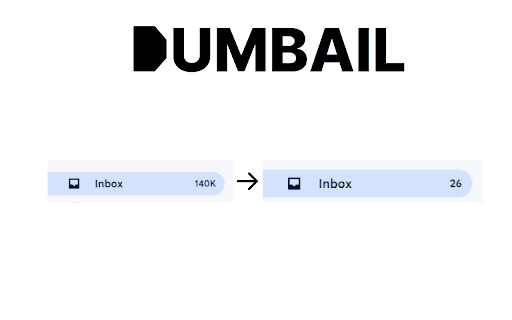
Dumbail is an advanced AI-driven email management solution designed to declutter your inbox by automatically hiding promotional emails, newsletters, and other non-essential messages. It scans your inbox and moves these unwanted emails to a dedicated label called "Dumbail," allowing you to focus on important communications efficiently.
How to Use
Install the Dumbail extension, then connect it to your Gmail account. Choose between 'Full Scan' or 'Quick Scan' to analyze your inbox. The tool will automatically organize identified emails into the 'Dumbail' label for easy access.
Features
- Automated email sorting and categorization
- AI-powered filtering for accuracy
- Options for comprehensive or quick inbox scans
- Seamless integration with Gmail
Use Cases
- Automatically declutter busy inboxes by filtering promotional and newsletter emails
- Enhance productivity by focusing only on essential messages
- Maintain organized email workflows
- Reduce inbox stress for professionals and entrepreneurs
Best For
Busy professionalsEntrepreneursIndividuals with cluttered inboxesEmail marketers seeking organizationTeam collaboration managers
Pros
- User-friendly interface with seamless Gmail integration
- Advanced filtering algorithms for precise email sorting
- Enhances inbox organization and reduces clutter
- Boosts productivity by highlighting important emails
Cons
- Possible misclassification of important emails
- Filtering accuracy depends on AI performance
FAQs
What is Dumbail and how does it work?
Dumbail uses AI to scan your inbox, identify promotional and unnecessary emails, and automatically move them to a dedicated label for easier management.
How can I start using Dumbail?
Install the extension, connect it to your Gmail account, and select 'Full Scan' or 'Quick Scan' to analyze and organize your inbox.
Is it possible to stop or pause a scan?
Yes, you can halt the scan process anytime by clicking the 'Stop Scan' option within the extension.
Does Dumbail work with all Gmail accounts?
Yes, Dumbail is compatible with all Gmail accounts and integrates seamlessly with Gmail's interface.
Can Dumbail misclassify important emails?
While highly accurate, AI filtering may occasionally misclassify some emails, so review your inbox periodically.