

Dynobase
A professional GUI client for Amazon DynamoDB that streamlines workflows with an intuitive interface and automated code generation.
About Dynobase
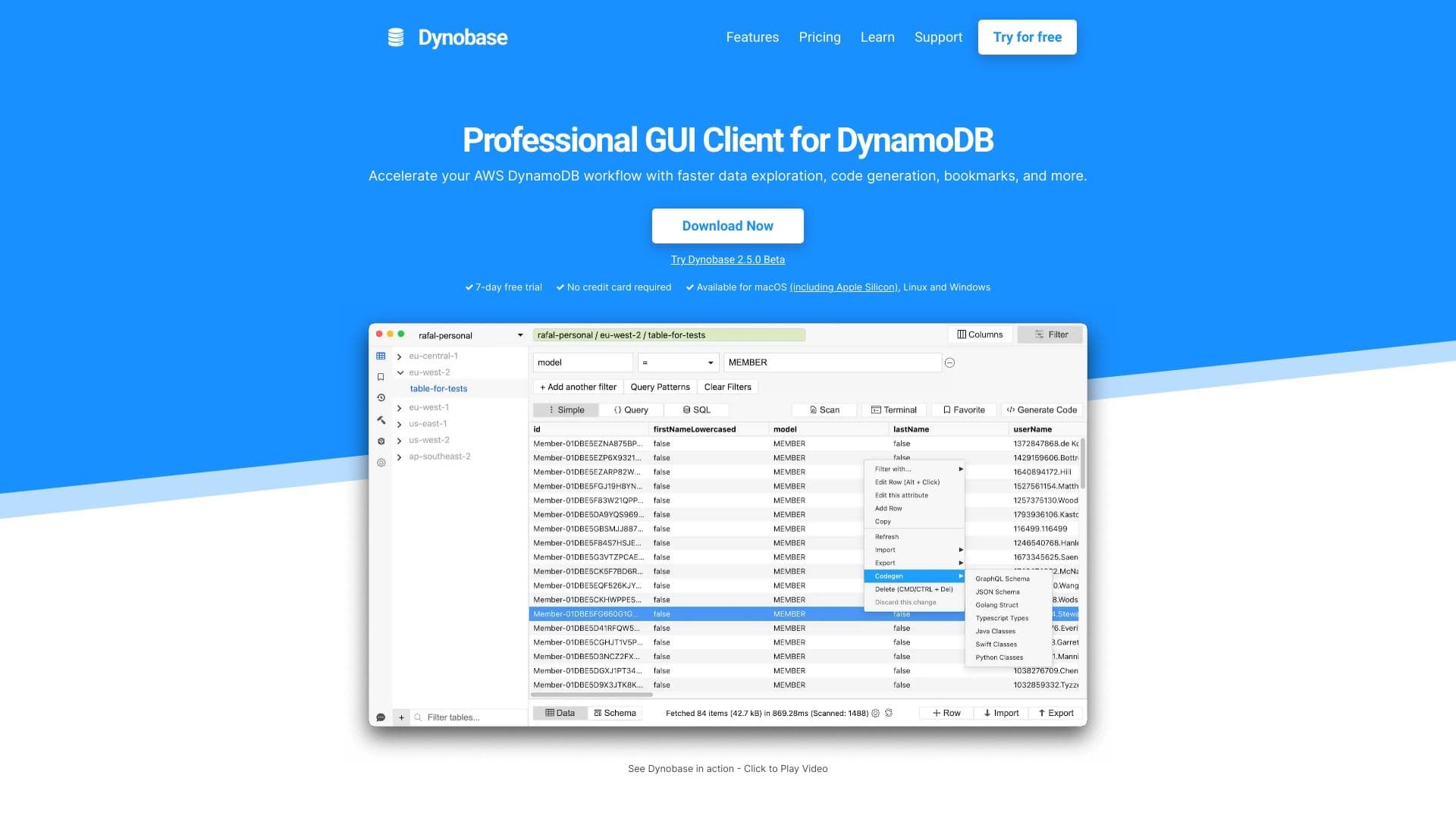
Dynobase is an advanced GUI client designed for Amazon DynamoDB, helping developers and engineers accelerate data workflows. It features a sleek user interface, visual query builder, automated code snippets, and multi-platform support. Ideal for exploring, managing, and migrating DynamoDB data efficiently across multiple regions and accounts.
How to Use
Download Dynobase compatible with your operating system. Connect to DynamoDB using AWS profiles or SSO. Use the intuitive interface to explore data, craft queries, modify items, and generate code snippets effortlessly.
Features
- Supports DynamoDB Local and LocalStack offline environments
- Dark Mode for comfortable viewing
- Multi-factor Authentication support
- Import and export data in CSV and JSON formats
- Modern administrative user interface
- Automated code snippets in JavaScript, TypeScript, Rust, Golang, Python
- PartiQL (SQL-like) query support
- Visual query builder for ease of use
- Integrated terminal/REPL for data transformation
- Query bookmarks and history tracking
- Operation builder for updating and deleting items
Use Cases
- Accelerate data exploration and editing
- Manage DynamoDB tables across multiple AWS regions and accounts
- Simplify creation and execution of queries
- Debug and test DynamoDB data models efficiently
- Automate code generation for DynamoDB operations
- Perform seamless data migration to DynamoDB
Best For
Pros
- User-friendly, intuitive interface
- Significant productivity improvements for DynamoDB users
- Powerful features including visual query builder and code automation
- Cross-platform support for Mac, Windows, and Linux
- Supports offline development environments
- Compatible with various AWS authentication methods
Cons
- Full feature access requires a paid license
- Device activation limited per subscription
- Learning curve for users new to DynamoDB concepts
Pricing Plans
Choose the perfect plan. All plans include 24/7 support.
Solo - Yearly Subscription
Billed annually at $108. Includes one license for Mac, Windows, or Linux, all features, future updates, PartiQL/SQL support, and email support.
Get StartedSolo - Lifetime License
One-time payment of $199 for a single license. Includes all features, updates, PartiQL/SQL support, and email support.
Get StartedTeam - Yearly Subscription
Billed annually. Supports 10-20 licenses for Mac, Windows, and Linux, with full features and support.
Get StartedEnterprise Plan
Unlimited licenses, full features, updates, and support. Contact us for tailored enterprise solutions.
Get Started