

EasyRead.AI - Reading Assistant
AI-powered reading assistant that simplifies content with summaries, mind maps, translations, and transcript browsing.
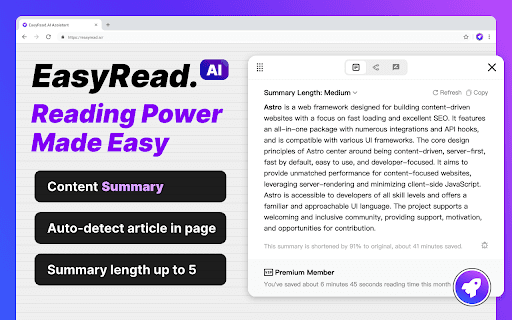
About EasyRead.AI - Reading Assistant
EasyRead.AI is an intelligent reading companion that generates concise summaries, visual mind maps, and offers multiple content perspectives. It features quick translation and transcript browsing to boost reading productivity and comprehension.
How to Use
Install the extension, log in with your Google account, and access features to summarize articles, create mind maps, translate content, or browse transcripts easily.
Features
- Single-click summary and mind map creation for articles
- YouTube transcript viewing and translation tools
- Translate selected content and define blocks of text
Use Cases
- Explore multiple viewpoints on a topic
- Quickly understand lengthy articles
- Translate YouTube videos and written content efficiently
Best For
Content consumersResearchersProfessionalsStudentsContent creators
Pros
- Reduces reading time with concise summaries and visual mind maps
- Includes powerful translation features
- User-friendly interface with minimal learning curve
- Supports YouTube content analysis
Cons
- Currently in public beta, so some features may have bugs
- Limited to Google account login for access
FAQs
How do I install EasyRead.AI?
Download the extension, then log in using your Google account on the setup page.
Can I use EasyRead.AI without a Google account?
Currently, access requires signing in with a Google account for security and synchronization.
What types of content can EasyRead.AI analyze?
It can summarize articles, generate mind maps, translate content, and browse YouTube transcripts.
Is EasyRead.AI suitable for students and researchers?
Yes, it helps students and researchers quickly grasp content and explore multiple perspectives efficiently.
Does EasyRead.AI support multiple languages?
Yes, it offers translation features for various languages to assist global users.