

Email Assistant
A Chrome extension leveraging GPT-3.5 to quickly generate email replies within Gmail, enhancing productivity and communication efficiency.
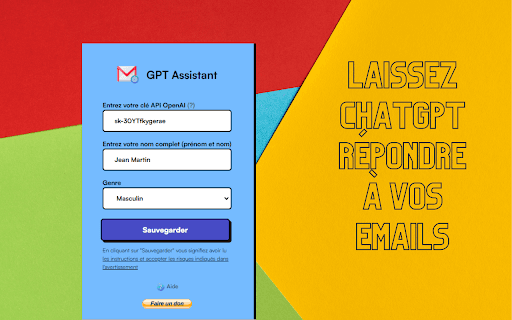
About Email Assistant
This Chrome extension seamlessly integrates GPT-3.5 into Gmail, enabling users to create quick, context-aware email responses with a single click. It analyzes incoming messages and offers multiple reply suggestions, streamlining email communication and saving valuable time.
How to Use
Install the Chrome extension, open an email in Gmail, and click the extension icon within the email interface. Select a suggested reply or customize it before sending to ensure your message is accurate and professional.
Features
- Customizable email responses
- Multiple reply suggestions
- Powered by GPT-3.5 for accurate responses
- Smooth integration with Gmail
- Analyzes email context for relevant replies
Use Cases
- Streamline email communication
- Create professional responses quickly
- Respond efficiently to common inquiries
- Enhance email reply quality
Best For
Project managersBusiness professionalsSales teamsCustomer service agentsHigh-volume email users
Pros
- Provides relevant, context-aware responses
- Simple to use and integrates with Gmail effortlessly
- Enhances the quality of email replies
- Offers multiple response options
- Saves time in email management
Cons
- Depends on GPT-3.5, a third-party service
- May need customization for specific scenarios
- Potential privacy issues with email data
- Response accuracy relies on GPT-3.5's performance
FAQs
How does this extension generate email responses?
It uses GPT-3.5 to analyze your email and suggest multiple replies based on the message context.
Can I customize the suggested responses?
Yes, you can edit the generated replies before sending to tailor them to your needs.
Is my email data secure with this extension?
Data security depends on the extension's privacy policy. Review it carefully before use.
Does this extension support multiple email accounts?
Yes, it works seamlessly across multiple Gmail accounts within the browser.
Is the extension easy to install and use?
Absolutely. It installs quickly and provides an intuitive interface for generating responses.