

Enigma, ChatGPT Sidebar
A powerful browser extension that seamlessly integrates ChatGPT to assist with summarization, content creation, translation, and more, enhancing your browsing productivity.
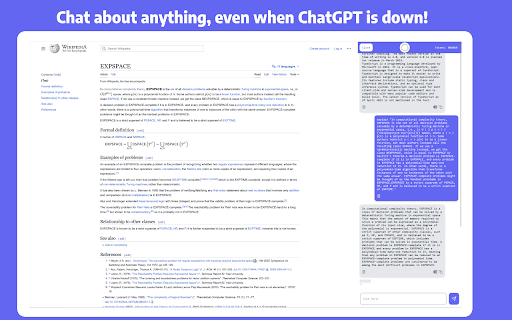
About Enigma, ChatGPT Sidebar
Enhance your browsing experience with the Enigma extension, which embeds ChatGPT directly into your browser. It enables you to interact with PDFs, generate content, summarize web pages, translate text, and compose emails effortlessly—all from your current webpage. Access these features via a sidebar or context menu, even during peak usage times, to streamline your workflow.
How to Use
Install the Enigma extension, then open the sidebar using Ctrl+Alt+J (or Cmd+J on Mac) or click the Enigma icon. Use the 'Compose' tab to draft content, or highlight text to ask questions or translate. Easily access features with intuitive controls for seamless productivity.
Features
- Interact with PDF files directly within the browser
- Create and edit content for blogs and social media
- Translate selected text instantly
- Query highlighted content from any webpage
- Draft and summarize emails efficiently
- Maintain separate chat contexts for each website
- Summarize lengthy web pages quickly
Use Cases
- Composing professional business emails
- Summarizing extensive research articles
- Obtaining quick answers from online sources
- Translating foreign language content
- Creating social media posts for marketing campaigns
Best For
Pros
- Seamless access to ChatGPT features within your browser
- Ability to use ChatGPT during high demand periods
- Saves time by avoiding tab switching
- Versatile for various content tasks
- Option to download responses as Word documents
Cons
- Requires a ChatGPT account for full functionality
- Potential privacy concerns due to website content access
- Installation of a browser extension is necessary
Pricing Plans
Choose the perfect plan. All plans include 24/7 support.