

Eno® from Capital One®
Eno® is a secure online shopping assistant from Capital One®, designed to protect your transactions when shopping via desktop browsers.
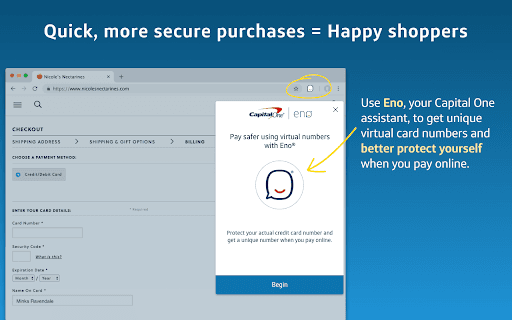
About Eno® from Capital One®
Eno®, the trusted Capital One® shopping assistant, provides enhanced security features to safeguard your online shopping experience on desktop browsers.
How to Use
Install Eno® as a browser extension on your desktop to access advanced security features while shopping online.
Features
- Real-time online shopping security
- Fraud detection and prevention
- Secure transaction alerts
- Seamless browser integration
Use Cases
- Safeguard online purchases on desktop browsers
- Prevent fraudulent transactions
- Receive instant security alerts during shopping
- Enhance protection for Capital One® cardholders
Best For
Online shoppersCapital One® credit and debit cardholdersIndividuals seeking secure online transactionsPeople using desktop browsers for shopping
Pros
- Easy integration with desktop browsers
- Provides robust online shopping security
- Backed by Capital One®'s trusted brand
- Real-time fraud protection
Cons
- Limited to specific browsers and websites
- Exclusive to Capital One® customers
- Features may vary across platforms
FAQs
How does Eno® improve online shopping security?
Eno® offers real-time fraud detection, transaction alerts, and secure browsing features to protect your online purchases.
Is Eno® compatible with all web browsers?
Eno® works with popular browsers like Chrome and Firefox, but compatibility may vary depending on updates.
Do I need a Capital One® account to use Eno®?
Yes, Eno® is designed specifically for Capital One® credit and debit cardholders.
Can Eno® prevent online fraud?
Yes, Eno® detects suspicious activity and alerts you immediately to prevent potential fraud.
Is installing Eno® safe?
Absolutely. Eno® is developed by Capital One® with security as a top priority, ensuring safe installation and use.