

FillBot.Pro
AI-driven Chrome extension that automates form filling by extracting data directly from your documents.
About FillBot.Pro
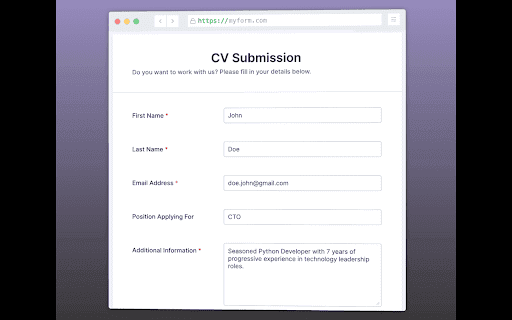
FillBot is an intelligent Chrome extension that leverages AI to automatically fill forms by extracting information from PDFs, DOCs, and TXT files. Save time and reduce manual data entry with ease.
How to Use
Install the FillBot Chrome extension, upload your PDF, DOC, or TXT file, and let it automatically extract and fill in the form fields for you.
Features
- Seamless integration with Chrome browser
- Data extraction from PDF, DOC, and TXT formats
- Automatic form completion powered by AI technology
Use Cases
- Automatically complete online job applications using resume data
- Fill out surveys efficiently by extracting answers from research reports
- Populate insurance claims with data from medical records
Best For
Job seekersInsurance professionalsData entry specialistsAdministrative staffStudentsResearchers
Pros
- Enhances accuracy by reducing human errors
- Speeds up data entry and saves time
- Supports multiple document formats including PDF, DOC, and TXT
- User-friendly Chrome extension interface
Cons
- Privacy concerns when uploading sensitive files — ensure secure handling
- May need manual adjustments for complex forms
- Accuracy depends on the clarity and format of source documents
FAQs
Which file formats does FillBot support?
FillBot supports PDF, DOC, and TXT file formats for data extraction.
How accurate is the data extraction process?
Accuracy depends on the quality and formatting of your documents; manual review may be necessary for complex forms.
Is FillBot secure for sensitive information?
FillBot prioritizes data security. Always ensure proper privacy measures are in place when uploading confidential documents.
Can I customize the form fields after automatic filling?
Yes, you can review and manually adjust form fields as needed after automatic data entry.
Is the extension compatible with all websites?
FillBot works with most online forms, but performance may vary depending on form complexity.