
Free ChatGPT for Google Chrome - ZChatGPT
A Chrome extension designed for instant access to ChatGPT and efficient chat management within your browser.
About Free ChatGPT for Google Chrome - ZChatGPT
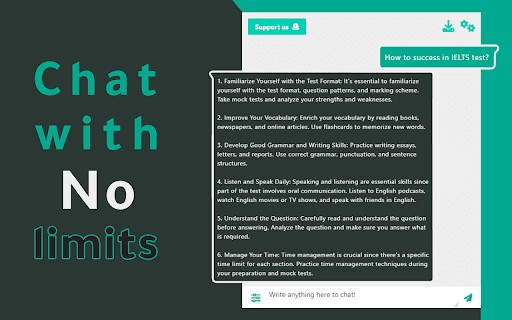
This free Chrome extension enables users to create a personalized ChatGPT workspace by exporting chat histories and switching to dark mode. It offers quick, seamless access to ChatGPT responses through commands, questions, prompts, and text inputs, enhancing your productivity.
How to Use
Install the extension, then interact with ChatGPT using commands, questions, or prompts directly from your browser for instant responses.
Features
- Real-time responses from ChatGPT 3.5 Turbo model
- Quick answers to your questions
- Export and save chat histories
- Dark mode for comfortable viewing
- Instant response without delays
- Control and customize your ChatGPT workspace
Use Cases
- Quickly retrieve information and complete tasks with ChatGPT
- Manage multiple chat sessions efficiently
- Export conversations for future reference
- Use ChatGPT seamlessly within your browser
- Enhance productivity for writers, developers, and students
Best For
WritersDevelopersFrequent ChatGPT usersStudentsResearchers
Pros
- Privacy maintained with serverless architecture
- Fast, easy access to ChatGPT functions
- Completely free to use
- Dark mode for comfortable, extended use
- Export chat histories effortlessly
Cons
- Dependent on user donations for ongoing development
- Limited features in the current MVP version
FAQs
Does this extension collect any user data?
No, it does not collect or store any user data or chat conversations. Your chats remain private and secure.
Is this the full version of the extension?
No, version 1.0.0 is an MVP release. Future updates will include new features to improve functionality and productivity.
Is the extension completely free?
Yes, it is free to use now and will remain free in future updates, supported by user donations.
Will this extension become open source?
Yes, the development team plans to make it open source soon to enhance transparency and community contributions.
Can I export my chat conversations?
Yes, the extension allows you to export and save your chat history for later reference.
Does it support dark mode?
Yes, dark mode is available to reduce eye strain and improve viewing comfort during prolonged use.
What models does the extension use?
It provides real-time responses powered by ChatGPT 3.5 Turbo.
Is the extension suitable for developers?
Absolutely, it helps developers access ChatGPT quickly for coding assistance and research.