

freya
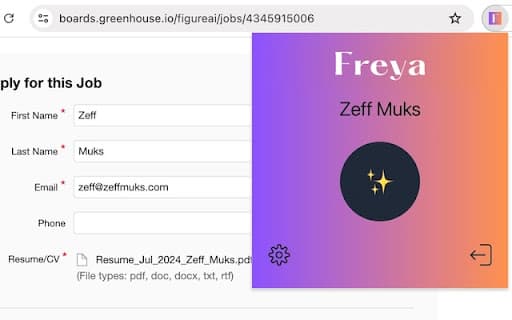
Freya harnesses advanced AI technology to automatically complete web forms efficiently.
About freya
Freya leverages artificial intelligence to automatically complete web forms, streamlining your online activities with minimal effort.
How to Use
Install Freya on your device. It will detect web forms automatically and use AI to fill them out quickly and accurately.
Features
- AI-driven automatic form filling
Use Cases
- Auto-completing registration forms
- Filling address details during online shopping
- Streamlining job application forms
- Quickly completing survey entries
- Pre-filling recurring form fields
Best For
Frequent online shoppersBusy professionalsIndividuals who regularly fill out online formsE-commerce entrepreneursStudents managing multiple registrations
Pros
- Minimizes data entry errors
- Simple and intuitive to use
- Speeds up online form completion
- Reduces repetitive manual work
Cons
- Needs installation on your device
- May not function perfectly on all websites
- Dependent on internet connection
- Limited customization options
FAQs
How does Freya automate form filling?
Freya analyzes form fields using AI and fills them with relevant information automatically.
Is using Freya secure?
Yes, Freya prioritizes security and does not store your personal data.
Can Freya handle complex or multi-step forms?
Freya effectively manages most standard forms but may have limitations with very complex or multi-page forms.
Is Freya compatible with all web browsers?
Freya works with most popular browsers; check compatibility with your specific browser version.
Does Freya require ongoing updates?
Regular updates ensure optimal performance and compatibility with evolving web standards.