

Gemini AI
Chrome extension that enables instant chat with Google Gemini AI, seamlessly integrating with Google services for enhanced productivity.
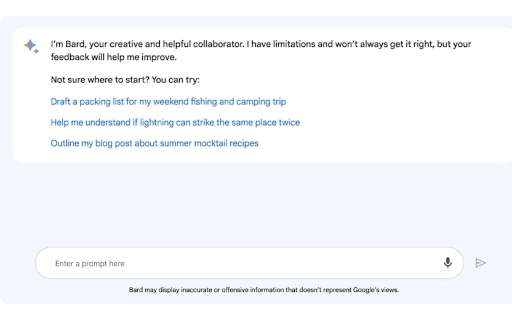
About Gemini AI
The Google Gemini AI Chrome extension provides real-time chat capabilities with Gemini AI, a conversational AI powered by Google Gemini. It mimics human dialogue, fetches information from the web, and excels in coding, math problem-solving, and content creation. Fully integrated with Google apps like Gmail, Docs, Drive, Google Maps, YouTube, and Google Flights, it offers a unified experience across platforms.
How to Use
Click the extension icon in your browser toolbar to open a chat window and begin interacting with Google Gemini AI. Sign in with your Google account at gemini.google.com to activate the service.
Features
- Real-time chat with Google Gemini AI
- Dark mode for comfortable long-term use
- Seamless integration with Google Workspace apps
Use Cases
- Assisting with coding tasks
- Retrieving information from Gmail, Docs, and Drive
- Solving complex math problems
- Enhancing writing and content creation
Best For
Students seeking quick AI helpResearchers conducting data analysisDevelopers coding and troubleshootingWriters and content creatorsAnyone needing instant AI assistance
Pros
- Instant access to Gemini AI within the browser
- Intuitive interface with dark mode option
- Supports a variety of tasks with AI assistance
- Integrates smoothly with Google services for added functionality
Cons
- Dependent on stable internet connection
- Access restrictions based on location or account type
- Requires a Google account to use
FAQs
How can I sign in to Gemini AI?
Navigate to https://gemini.google.com and click 'Sign in' at the top right. Log in with your Google account credentials.
What should I do if I can't access Gemini AI?
Access may be restricted due to location, age, or account type. Try again later or verify your Google account settings.
Is Gemini AI available on mobile devices?
Currently, the extension is designed for desktop Chrome browsers. Mobile access may require using the web version via browser.
Can I use Gemini AI without a Google account?
No, signing in with a Google account is necessary to access and activate Gemini AI features.
Does the extension work offline?
No, an active internet connection is required for Gemini AI to function properly.