

Gemini AI chat
A browser extension that leverages Google's Gemini AI to enhance chat interactions and provide valuable insights while browsing the web.
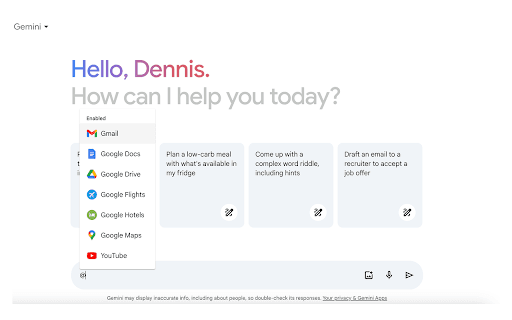
About Gemini AI chat
This Gemini AI Chat extension enriches your web browsing experience by integrating Google's Gemini AI directly into your browser. It offers quick access to AI-powered chat and insightful tips, making online research faster and more effective. Designed to improve information retrieval and user engagement, it transforms the way you interact with the web.
How to Use
Install the extension, sign in at https://gemini.google.com, and click the toolbar icon to initiate a chat with Gemini AI. Use full-screen mode for immersive conversations. Refresh the webpage if you encounter any issues.
Features
- Instant access to Gemini AI chat
- AI-powered tips displayed in search results
- Full-screen chat mode for immersive conversations
- Reliable, continuous connection to Gemini AI
Use Cases
- Quickly initiate AI conversations while browsing
- Receive helpful search tips directly in results
- Engage in full-screen, immersive AI chats
Best For
Content creatorsInformation seekersStudentsFrequent online chat usersWeb researchers
Pros
- Supports full-screen AI chat sessions
- Improves search results with AI insights
- Easy to access Gemini AI features
- Seamless integration with web browsers
- Ensures a stable connection to Gemini AI
Cons
- Requires a Google account and Gemini access
- Possible accessibility issues based on location or account type
- May experience glitches during high traffic times
FAQs
How do I start using the Gemini AI Chat extension?
Sign in at https://gemini.google.com and click the extension icon in your browser toolbar to begin chatting.
What should I do if I encounter a glitch?
Refresh the page, especially during busy periods. If issues persist, report the problem via the extension's review feature.
Why am I unable to access the Gemini web app?
Access may be restricted based on your location, age, or account type. Try again later or check your account settings.