

GPT Google Form Builder
An efficient tool that leverages AI and document import to swiftly create Google Forms for surveys, quizzes, and data collection.
About GPT Google Form Builder
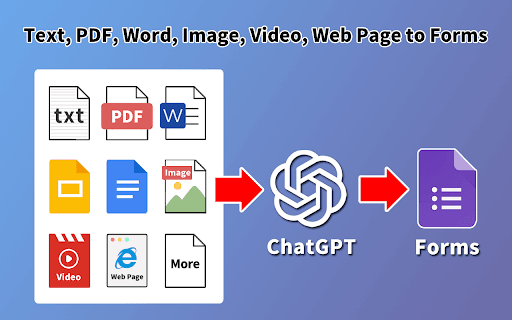
GPT Form Builder simplifies and accelerates the creation of Google Forms for diverse purposes such as surveys, quizzes, exams, and feedback forms. It enables form generation through ChatGPT prompts, document uploads, and OCR scanning, eliminating manual retyping and copying from PDFs or Google Docs. Seamlessly integrates with Google Workspace tools for efficient data collection.
How to Use
Create Google Forms effortlessly by using ChatGPT prompts, uploading documents for content extraction, or scanning PDFs and images with OCR. The tool integrates directly into Google Sheets, Docs, Slides, and Drive as a sidebar, streamlining your workflow.
Features
- Automatic detection of questions and answer options
- Supports various question formats including multiple-choice, true-false, matching, and open-ended
- Seamless integration with Google Sheets, Docs, Slides, and Drive
- Form creation via ChatGPT prompts for rapid setup
- OCR-based form generation from PDFs and images
- Uploads-based form creation from document files
Use Cases
- Creating educational quizzes and tests
- Designing customer feedback surveys
- Developing marketing lead capture forms
- Building assessments and exams
- Gathering data through online forms
Best For
Pros
- Reduces time by automating form creation processes
- Supports a wide range of question types
- Eliminates manual copying and retyping efforts
- Integrates smoothly with Google Workspace ecosystem
- Offers multiple methods for form generation
Cons
- Accuracy depends on ChatGPT and OCR performance
- Quality of output varies with input document clarity
- Generated forms should be reviewed for accuracy