

GPT Notification/Quiz - STRI
An AI-powered Chrome extension designed for fast, accurate question answering and seamless information retrieval.
About GPT Notification/Quiz - STRI
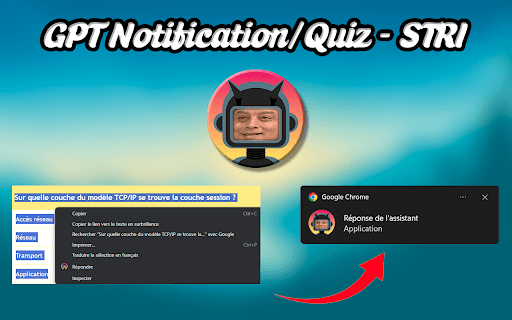
Developed initially by students, this Chrome extension streamlines answering questionnaires and queries. It features an interactive popup that leverages your API key and selected AI model to deliver fast, precise responses, acting as a smart, real-time assistance tool during browsing.
How to Use
Install the extension, access options via right-click to enter your API key and select an AI model. To get answers, highlight the question text, right-click, and select 'Answer'. Enable notifications for real-time alerts, and customize visual themes and settings in the options menu.
Features
- Customizable AI models
- Multiple visual themes
- Interactive answer popup
- Secure API key integration
Use Cases
- Providing quick responses to surveys and questionnaires
- Assisting with real-time questions while browsing
Best For
Users seeking quick answers onlineProfessionals handling frequent questionnairesStudents seeking instant helpResearchers needing fast data retrievalAnyone requiring immediate AI support
Pros
- Delivers instant, accurate answers in real-time
- Highly customizable with AI models and themes
- Simple right-click functionality for ease of use
- Integrates smoothly with your browser for quick access
Cons
- Requires an API key, which may involve costs
- API key must have a minimum credit of 5€ to function properly
- Dependent on the accuracy and availability of the chosen AI model
Pricing Plans
Choose the perfect plan. All plans include 24/7 support.
FAQs
How do I set up the extension?
Right-click the extension icon, select 'Options', then input your API key and choose your preferred AI model.
What should I do if my API key is invalid?
Ensure your API account has at least 5€ credited, as the extension requires this for processing requests.
How can I use the extension to answer questions?
Highlight your question text, right-click, and select the 'Answer' option to receive a quick reply.