

GPT Power Manager
An advanced tool that enhances ChatGPT with powerful organization and management capabilities, improving your workflow efficiency.
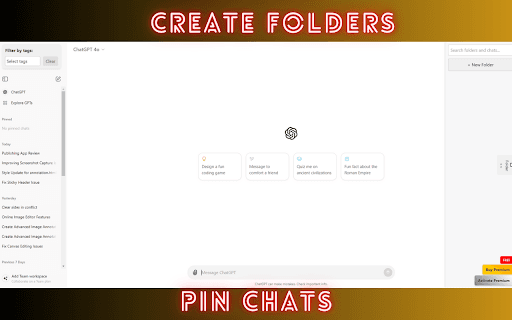
About GPT Power Manager
GPT Power Manager elevates your ChatGPT experience by offering sophisticated tools for organizing and managing conversations. Easily categorize chats with custom tags, pin important discussions for quick access, use color coding for visual clarity, and organize related chats into folders. This helps streamline your workflow, enhance information retrieval, and safeguard important conversations from being lost.
How to Use
Integrate GPT Power Manager seamlessly into your ChatGPT routine. Use custom tags to categorize chats, pin essential conversations for instant access, apply color codes for visual organization, and create folders to group related discussions efficiently.
Features
- Custom Tagging for easy categorization
- Folder Management to organize chats
- Chat Pinning for quick access
- Intuitive user interface
- Color Coding for visual clarity
Use Cases
- Organizing multiple client conversations
- Quick access to frequently used prompts
- Managing different project discussions
- Organizing research notes and findings
Best For
Pros
- Boosts productivity with streamlined chat management
- User-friendly interface for easy navigation
- Simplifies retrieval of important conversations
- Enhances organization of ChatGPT chats
Cons
- Dependent on ChatGPT platform capabilities
- Initial setup may require time to organize existing chats