

GPT Sidebar - Search with ChatGPT
A Chrome extension that seamlessly integrates ChatGPT with popular search engines to deliver enhanced insights and smarter search experiences.
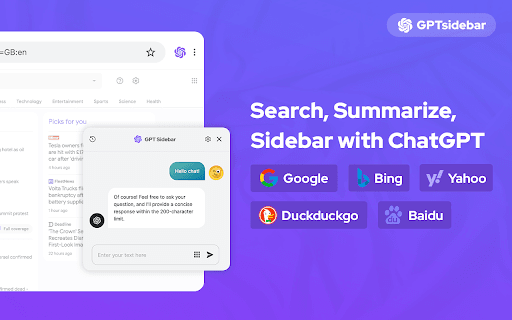
About GPT Sidebar - Search with ChatGPT
Enhance your browsing with the ChatGPT for Chrome extension, which brings AI-powered responses to search engines like Google, Bing, and DuckDuckGo. View ChatGPT insights alongside search results to gain deeper understanding. Features include multi-search engine support, OpenAI API access, markdown rendering, code highlighting, and a dark browsing mode for comfortable use.
How to Use
Install the extension, enter your queries into your preferred search engine, and view ChatGPT responses displayed alongside search results. You can also access ChatGPT directly through the extension popup for quick assistance.
Features
- Integrates with the official OpenAI API for accurate responses
- Summarizes websites and YouTube videos efficiently
- Supports markdown formatting and highlights code snippets
- Compatible with major search engines like Google, Bing, and DuckDuckGo
- Includes a dark mode for comfortable browsing in low light
- Allows easy copying of responses to the clipboard
Use Cases
- Summarizing lengthy websites and videos quickly
- Gaining additional insights on search queries
- Accessing ChatGPT directly from your browser toolbar
- Copying conversation snippets for later use
- Understanding and analyzing code snippets within discussions
Best For
ResearchersInformation seekersDevelopersContent creatorsStudents
Pros
- Quick access to ChatGPT alongside search results
- Easy-to-use, intuitive interface
- Efficient website and video summarization
- Dark mode for comfortable reading
- Enhanced readability with markdown and code highlighting
Cons
- Response quality varies based on ChatGPT's outputs
- Dependent on the OpenAI API's performance and availability
- Summarization relies on GPT-4, which may have limitations
FAQs
How can I access ChatGPT using this extension?
Perform a search on supported engines like Google or Bing to see ChatGPT responses alongside results, or open the extension popup for direct access.
Which search engines are compatible with this extension?
It works with all major search engines, including Google, Bing, and DuckDuckGo.
How do I summarize a website or YouTube video?
Right-click on the webpage or video and select the 'Summarize' option to receive a concise overview powered by GPT-4.
Is this extension free to use?
Yes, the extension is free, but usage of the OpenAI API may incur costs depending on your API plan.
Can I copy responses from ChatGPT?
Yes, responses can be easily copied to your clipboard with the built-in copy feature.