

GPT2PDF
A browser extension designed to download, archive, and share ChatGPT conversations easily.
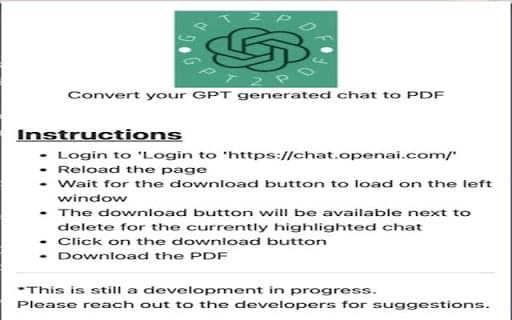
About GPT2PDF
This extension enables seamless downloading of ChatGPT conversations directly from the chat interface. It is an essential tool for students, researchers, and professionals who want to archive, share, or document their AI interactions efficiently.
How to Use
Install the extension in your web browser. A download button appears within ChatGPT, allowing you to save conversations with a single click for future reference or sharing.
Features
- One-click download of ChatGPT chats
Use Cases
- Saving important or insightful ChatGPT conversations
- Archiving research discussions for later review
- Sharing AI interactions with colleagues or clients
- Creating detailed transcripts for documentation
Best For
StudentsResearchersContent creatorsJournalistsAI enthusiastsProfessionals frequently using ChatGPT
Pros
- Facilitates easy saving and sharing of chat sessions
- Supports research, documentation, and collaboration
- Simple to install and use
Cons
- Installation may vary across browsers
- Limited to conversation download features
- Potential compatibility issues with future ChatGPT updates
FAQs
How can I install the ChatGPT conversation download extension?
Download the extension from your browser's web store and follow the installation prompts specific to your browser.
In what formats are conversations saved after download?
Saved conversations can typically be exported as text (.txt), HTML (.html), or JSON (.json) files, depending on the extension.
Is this extension available for free?
Yes, many versions of this extension are free, though some may offer premium features for a fee.
Can I share my downloaded ChatGPT conversations?
Absolutely. Once saved, conversations can be shared via email, cloud storage, or other sharing methods.
Will the extension work with all versions of ChatGPT?
It is designed to work with most current versions, but future updates to ChatGPT may require extension updates for compatibility.