

GPT4Free Extension
A browser extension that seamlessly integrates AI-powered assistance through the ChatGPT API for enhanced productivity.
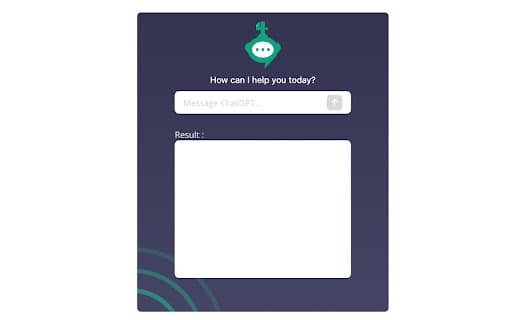
About GPT4Free Extension
The GPT4Free Extension is a powerful browser add-on that brings AI capabilities directly into your browsing experience. It enables users to access AI-driven assistance through the ChatGPT API for tasks like writing, research, and more, all within your browser environment.
How to Use
Install the GPT4Free Extension from the Chrome Web Store by clicking 'Add to Chrome'. After installation, it provides AI features accessible directly within your browser for various tasks.
Features
- Seamless interaction with the ChatGPT API
- AI assistance integrated into your browsing experience
Use Cases
- Enhance writing and content creation
- Perform quick research within your browser
- Generate ideas and summaries on the fly
- Assist with language translation and editing
- Streamline repetitive tasks with AI support
Best For
Content creatorsStudents and researchersWriters and bloggersProfessionals seeking AI assistanceAnyone looking to boost productivity
Pros
- Boosts productivity with AI tools
- Easy integration with ChatGPT API
- Provides quick, accessible AI assistance within the browser
Cons
- Limited by ChatGPT API capabilities
- Dependent on API uptime and performance
- Privacy considerations based on data handling policies
FAQs
What functions does the GPT4Free Extension offer?
It provides AI-powered assistance by connecting to the ChatGPT API, helping with writing, research, and other tasks directly in your browser.
How can I view the privacy policy and terms of use?
The privacy policy is available at https://gpt-4free.net/privacy, and the terms of service are at https://gpt-4free.net/terms.
Is the extension free to use?
Yes, the GPT4Free Extension is free, providing access to AI features without additional charges.
What browsers does the extension support?
Currently, it is available for the Chrome browser via the Chrome Web Store.
Can I customize the AI responses or settings?
Customization options depend on the extension's features; please refer to the settings menu within the extension for available options.