

GPTDrive: Mobile Hub for ChatGPT, Bard, Bing
A versatile mobile application that enables users to import, organize, and manage AI chat conversations from Google Drive for platforms like ChatGPT, Bard, and BingChat.
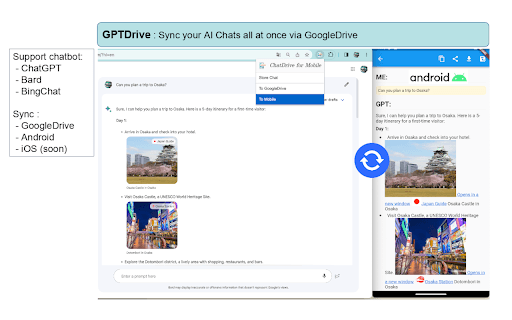
About GPTDrive: Mobile Hub for ChatGPT, Bard, Bing
GPTDrive is an intuitive mobile application designed to simplify access and management of AI chat conversations. It allows seamless importing from Google Drive, supporting popular platforms like ChatGPT, Bard, and BingChat. Stay connected with your AI dialogues anytime, anywhere, whether at home or on the move.
How to Use
Use GPTDrive to import your AI conversations from Google Drive. The app organizes chats in an easy-to-read format for reviewing and sharing on the go.
Features
- Import and organize AI conversations
- Supports markdown formatting for clarity
- Share AI chats effortlessly
Use Cases
- Sharing insightful AI dialogues with colleagues
- Accessing and reviewing AI conversations anytime
- Managing multiple chat histories easily
Best For
AI enthusiastsResearchersStudentsProfessionals working with AI chatbotsTech developers
Pros
- Easy sharing of AI conversations
- Supports markdown for improved readability
- Simple import from Google Drive
- Accessible anywhere on mobile devices
Cons
- Limited to ChatGPT, Bard, and BingChat conversations
- Requires Google Drive account integration
FAQs
Which AI chat platforms are compatible with GPTDrive?
GPTDrive supports ChatGPT, Bard, and BingChat for seamless conversation management.
Can I review conversations offline with GPTDrive?
Yes, imported conversations are stored locally, allowing offline access and review.
Does GPTDrive support exporting conversations?
Currently, GPTDrive enables sharing within the app but does not support exporting files externally.
Is GPTDrive free to use?
Yes, GPTDrive is available free of charge with optional premium features.
How secure is my conversation data on GPTDrive?
Your conversations are stored locally or within your Google Drive account, ensuring data privacy and security.