

Highlight AI
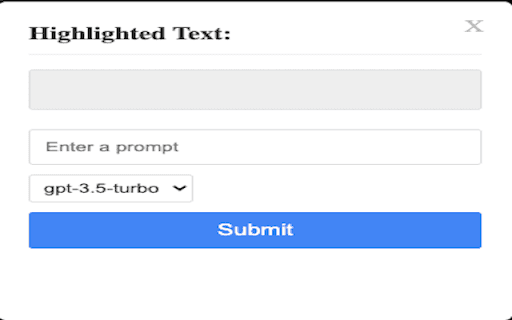
A browser extension that enables seamless use of GPT-3.5-turbo and GPT-4 by highlighting text or asking questions for instant AI assistance.
About Highlight AI
This innovative browser extension allows users to leverage GPT-3.5-turbo and GPT-4 directly within their browsing environment. By highlighting text or entering questions, it facilitates quick, context-aware AI responses to enhance research, content creation, and productivity. An OpenAI API key is required for authentication and usage.
How to Use
Install the extension, enter your OpenAI API key in the settings, highlight text on any webpage, or type your question. The extension then uses GPT-3.5-turbo or GPT-4 to generate a response instantly.
Features
- Seamless integration of GPT-3.5-turbo and GPT-4 in your browser
- Secure API key authentication for safe use
- Quick question input for instant answers
- Highlight text to get context-specific AI responses
Use Cases
- Summarizing lengthy articles and documents
- Creating original content quickly
- Answering questions based on web page content
- Translating text in multiple languages
- Enhancing writing quality and clarity
Best For
StudentsContent creatorsDevelopersResearchersMarketing professionalsWriters
Pros
- Simplifies workflow for text analysis and generation
- Provides instant access to advanced AI models
- Boosts productivity across various tasks
- Offers context-aware responses through text highlighting
Cons
- Requires an OpenAI API key for operation
- Potential for inaccurate or biased AI responses
- Security considerations for API key management
- Dependent on OpenAI's API availability and pricing plans
FAQs
What do I need to use this extension?
Install the extension and enter a valid OpenAI API key to activate it.
Is there a cost to use this extension?
The extension is free, but using GPT-3.5-turbo and GPT-4 may incur charges based on your OpenAI API usage.
How can I obtain an OpenAI API key?
Sign up on the OpenAI website and generate an API key from your account dashboard.
Can I use this extension on any browser?
Yes, it is compatible with most major browsers that support extensions.
Is my API key secure with this extension?
Yes, your API key is stored securely within the extension and managed responsibly.