

Image Search
A powerful reverse image search extension that helps identify similar images, find social profiles, and detect image theft across platforms.
About Image Search
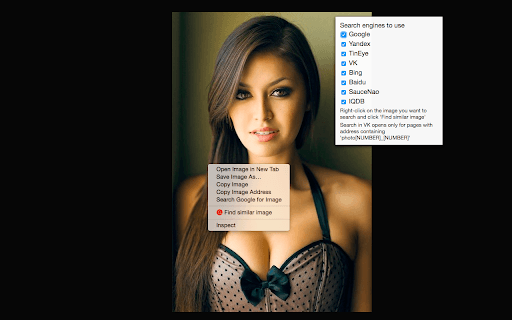
Find Similar Image is a browser extension that enables users to conduct reverse image searches using popular engines like Yandex and TinEye. It helps locate social media profiles through images, identify cloned or fake accounts on platforms like Facebook and Instagram, detect stolen or reposted images, find free alternatives to premium photos, and connect with individuals across social networks using their profile pictures.
How to Use
Install the extension, right-click on any image, and select 'Find similar image' to initiate a search. Choose your preferred search engine or search across all supported engines simultaneously.
Features
- Detects illegally re-published or stolen images
- Identifies fake and cloned social media profiles
- Locates social media profiles via images
- Performs reverse image searches across multiple engines
- Finds free alternatives to paid images
- Connects you with contacts on various social networks
Use Cases
- Finding free stock images
- Detecting copyright violations
- Identifying individuals in photos
- Verifying online profile authenticity
- Tracing the original source of an image
Best For
Pros
- Supports multiple search engines for comprehensive results
- Enables quick right-click image searches
- Versatile tools for various image verification tasks
Cons
- Dependent on the accuracy of third-party search engines
- Google search support is now integrated via Chrome by default