

Image to Text
A powerful online tool and browser extension that instantly converts images into editable text, streamlining data extraction.
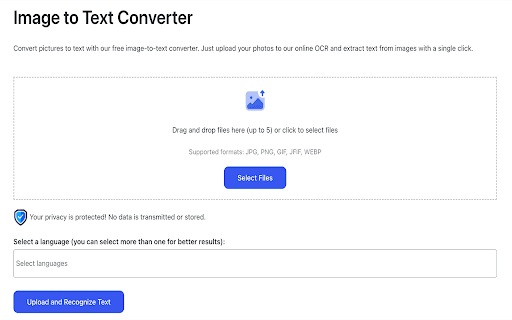
About Image to Text
Text from Picture is an efficient online tool and browser extension designed to instantly extract text from images. It simplifies data entry by allowing users to quickly convert various visual content—such as scans, photos, and screenshots—into editable text. Ideal for students, researchers, and professionals working with visual data, it eliminates manual transcription and saves valuable time.
How to Use
1. Launch the extension and select the specific area of the image to extract text. 2. The tool automatically recognizes and copies the extracted text to your clipboard. 3. Paste the text into any document or application using Cmd+V or Ctrl+V.
Features
- Performs all processing locally to ensure data privacy
- Provides highly accurate OCR recognition
- Works seamlessly across all websites and image formats
- Automatically copies extracted text to clipboard for convenience
- Allows quick selection of image areas with a single click
Use Cases
- Extracting text from infographics and social media images
- Converting restaurant menus and billboards into editable text
- Processing invoices, receipts, and business documents efficiently
- Transforming visual content into text for blogging and website creation
Best For
Pros
- Simple three-step process makes it easy to use
- High-accuracy OCR for reliable text extraction
- Compatible with a wide range of image formats and websites
- Prioritizes user privacy with local data processing
- Saves time by removing manual data entry tasks
Cons
- Results may vary depending on image quality and text clarity
- OCR accuracy affects overall performance
- Pricing details are not provided, so costs are unknown