
Image to Text (OCR)
A Chrome extension that enables easy extraction of editable text from images and PDFs directly within your browser.
About Image to Text (OCR)
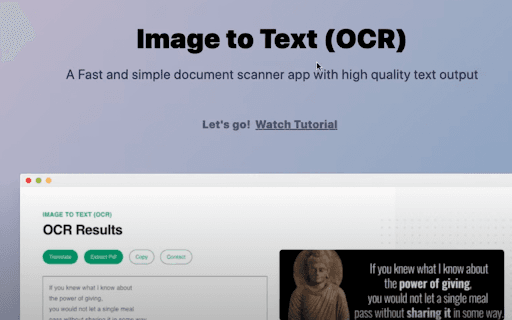
This Chrome extension leverages OCR technology to extract text from images and PDFs directly in your browser. It provides a seamless way to convert visual content into editable formats, supporting numerous languages. Features include screen cropping, link detection, email identification, and audio playback of extracted text for enhanced productivity.
How to Use
Install the Chrome extension, then right-click on an image and select 'Extract Text' to convert it. Use the screen cropping tool to select specific areas for OCR. The extracted text appears instantly for copying or editing.
Features
- Supports over 100 languages for accurate OCR
- Quick access via context menu for ease of use
- Screen cropping tool for precise extraction
- Detects links and email addresses within images and PDFs
- Plays back extracted text through audio
- Converts image and PDF content into editable text
Use Cases
- Converting images into editable text documents
- Copying text quickly from website images
- Extracting information from scanned PDFs
- Identifying links and email addresses in images or PDFs
Best For
Data entry specialistsIndividuals converting images to textResearchers analyzing visual dataStudents working with scanned documentsOffice professionals handling digital content
Pros
- Easy access through context menu
- Supports a wide array of languages
- Includes features like audio playback and link detection
- Efficient OCR for PDFs and images
- Fast, user-friendly text extraction
Cons
- Requires an active internet connection
- Accuracy depends on image quality and text clarity
FAQs
Is an internet connection necessary to use this OCR extension?
Yes, an active internet connection is required for optimal OCR performance.
How can I extract text from an image with this extension?
Right-click on the image and select 'Extract Text' from the context menu.
Which languages does the OCR support?
The extension recognizes over 100 languages. Visit the homepage (imagetext.xyz) for the full list.
Can I extract text from PDFs using this extension?
Yes, the extension supports extracting text from PDF files and images.
Does the extension offer any additional features?
Yes, it includes link and email detection, screen cropping, and audio playback of extracted text.