

InteractiveDemo.ai
A Chrome extension designed to create captivating, interactive product demonstrations with automatic focus and dynamic navigation.
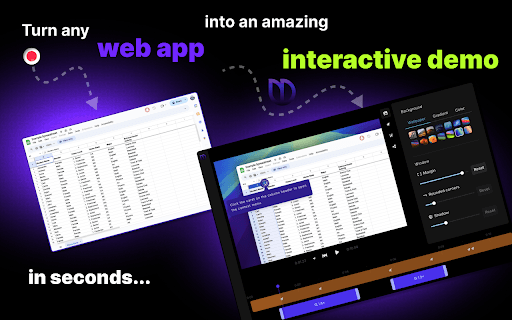
About InteractiveDemo.ai
InteractiveDemo.ai is a powerful Chrome extension that simplifies creating engaging, interactive product demos. Its automatic focus and smooth navigation highlight key features, making your presentations more compelling. Ideal for marketers, sales professionals, product managers, developers, and support teams looking to showcase their products effectively.
How to Use
Install the InteractiveDemo.ai Chrome extension. Record your screen while the extension automatically zooms and pans to emphasize important areas, resulting in an interactive demonstration.
Features
- Auto pan and zoom to highlight key points
- Enables creation of interactive product demos
- Boosts viewer engagement through dynamic focus
Use Cases
- Designing compelling marketing presentations
- Explaining technical features clearly
- Demonstrating software functionalities
- Showcasing product updates
- Creating intuitive customer tutorials
Best For
Sales teamsMarketing professionalsProduct managersDevelopersCustomer support teams
Pros
- Versatile for marketing, sales, and support roles
- User-friendly Chrome extension
- Creates engaging, interactive demos
- Automatically emphasizes important areas
Cons
- Quality of initial recording affects effectiveness
- Limited to screen recording functionalities
FAQs
What is InteractiveDemo.ai?
InteractiveDemo.ai is a Chrome extension that helps you produce engaging, interactive product demos with automatic focus and navigation features.
Who can benefit from InteractiveDemo.ai?
It's ideal for marketers, sales teams, product managers, developers, and support staff seeking to showcase products effectively.
How does InteractiveDemo.ai enhance my demos?
It intelligently pans and zooms during recordings to draw attention to important features and create a more engaging presentation.
Is InteractiveDemo.ai easy to use?
Yes, simply install the extension, start recording, and it automatically manages focus and navigation for you.
Can I customize the focus points?
The extension automatically detects points of interest; manual customization options may vary depending on updates.