

IstoryAI
An innovative browser extension designed to assist dyslexic students in reading Filipino stories through advanced assistive tools and machine learning technology.
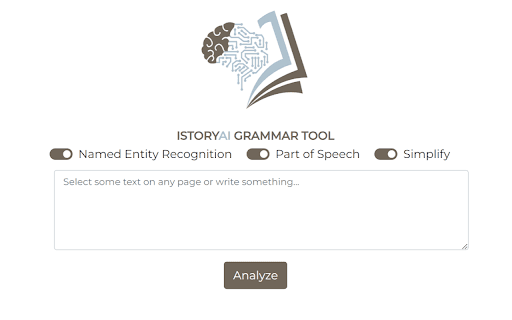
About IstoryAI
This browser extension serves as a comprehensive reading aid for dyslexic students learning Filipino. It combines assistive features such as text-to-speech, customizable fonts, and word highlighting with machine learning techniques like Named Entity Recognition (NER) and Part-of-Speech (POS) tagging. These tools help users understand and engage with Filipino short stories more effectively, enhancing language acquisition and reading comprehension.
How to Use
Download and install the extension in your web browser. Open a Filipino story online, and the extension activates automatically. It offers text-to-speech, font adjustments, word highlighting, and explanations of key words identified by NER and POS tagging to facilitate better understanding.
Features
- Highlighting words to boost focus and retention
- Part-of-Speech tagging to clarify grammatical roles
- Customizable fonts optimized for dyslexic readers
- Instant explanations of important words and phrases
- Filipino text-to-speech for improved comprehension
- Named Entity Recognition to identify key entities in texts
Use Cases
- Providing accessible Filipino reading materials
- Supporting inclusive classroom learning
- Helping dyslexic students understand Filipino stories
- Enhancing Filipino language skills for learners with reading challenges
Best For
Pros
- Adjustable fonts and highlighting features for personalized reading
- Leverages machine learning for deeper text understanding
- All-in-one assistive technology solution
- Tailored specifically for Filipino language learning
- Text-to-speech feature enhances listening comprehension
Cons
- Overreliance on the tool might limit independent reading skills
- NER and POS tagging accuracy can vary with complex texts
- Effectiveness depends on individual learning styles
- Initial setup may require some configuration