

JourneyTracker
JourneyTracker utilizes AI to document and summarize your research process, enhancing your knowledge management effectiveness.
About JourneyTracker
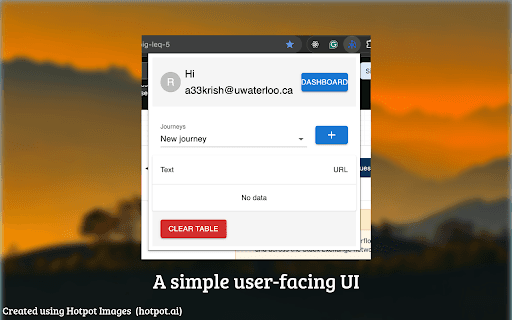
JourneyTracker enables you to document your research activities and generate AI-driven summaries. It helps track information from multiple tabs and windows during research or troubleshooting tasks.
How to Use
As you browse, JourneyTracker records your research path and offers AI-generated summaries. Access to certain features requires a '@uwaterloo.ca' account via the Extensions Dashboard.
Features
- Tracks your research journey across multiple sources
- Provides AI-generated summaries for quick insights
- Monitors information from various tabs and windows
Use Cases
- Organizing research sources and insights for academic projects
- Documenting and troubleshooting software bugs effectively
Best For
Software developersBug analystsKnowledge professionalsAcademic researchersStudents
Pros
- Streamlines research from diverse sources
- Offers quick AI summaries for rapid understanding
- Enhances overall knowledge management
Cons
- Quality of summaries depends on AI accuracy
- Features in the Dashboard require a '@uwaterloo.ca' account
FAQs
What is JourneyTracker?
JourneyTracker is an AI-powered tool that records your research process and generates summaries to help manage your information efficiently.
Is a special account needed to access all features?
Yes, a '@uwaterloo.ca' account is required to access the Extensions Dashboard and AI summarization features.
How does JourneyTracker assist with research?
It records your browsing activities across multiple tabs and provides AI-generated summaries for quick comprehension.
Can I use JourneyTracker on any browser?
JourneyTracker is available as a browser extension compatible with supported browsers, enhancing your research workflow.
Is my data secure with JourneyTracker?
Yes, your research data is kept confidential, and the extension follows strict privacy standards.