

JPG IMAGE TO TEXT
An advanced online tool that transforms JPG images into editable text using powerful OCR technology.
About JPG IMAGE TO TEXT
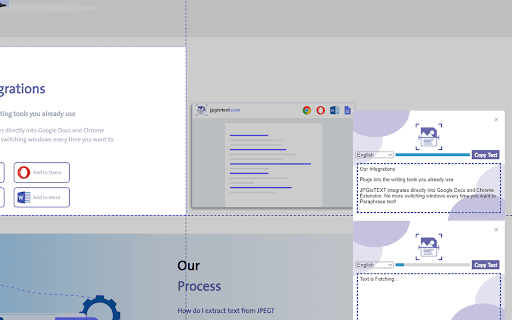
This online platform enables users to convert JPG images containing text into editable digital documents. Leveraging advanced OCR technology, it accurately extracts text from images, including screenshots and photo documents. The tool captures the current browser tab as a JPG image and processes it to retrieve all embedded text swiftly and reliably.
How to Use
Simply open the tool, allow it to capture your current browser tab as a JPG image, and then let OCR technology extract and convert the contained text into an editable format. No manual uploads needed.
Features
- Converts JPG images into editable text using OCR
- Automatically captures active browser tab as an image
- Accurate text extraction from clear images
- User-friendly online interface
Use Cases
- Extracting text from screenshots of documents
- Digitizing printed material quickly
- Converting images for editing and sharing
- Processing scanned documents efficiently
Best For
StudentsResearchersData entry professionalsOffice staffContent creators
Pros
- No software installation required; accessible online
- Efficiently converts JPG images to editable text
- Automatically captures current browser tab
- Utilizes advanced OCR for high accuracy
Cons
- Requires a stable internet connection for optimal performance
- Less effective with handwritten or low-quality images
- Extraction accuracy depends on image clarity
FAQs
How does this tool convert JPG images to editable text?
It uses OCR technology to analyze the image, recognize the text, and then convert it into an editable digital format.
Is the OCR conversion accurate for all types of images?
The accuracy depends on image quality and clarity; clear, high-resolution images yield the best results.
Can I use this tool on mobile devices?
Yes, it is compatible with most smartphones and tablets through any web browser.
Does this tool support handwritten text?
OCR technology works best with printed text; handwritten text may not be accurately recognized.
Is my data secure when using this online tool?
Yes, all processing occurs securely within your browser, and no files are stored or transmitted externally.