

Kuse
Kuse combines the power of AI with a visual workspace, transforming chaotic inputs into clear, structured deliverables. It offers an interactive canvas where your context is visual, editable, and reusable, making complex tasks more manageable and efficient.
About Kuse
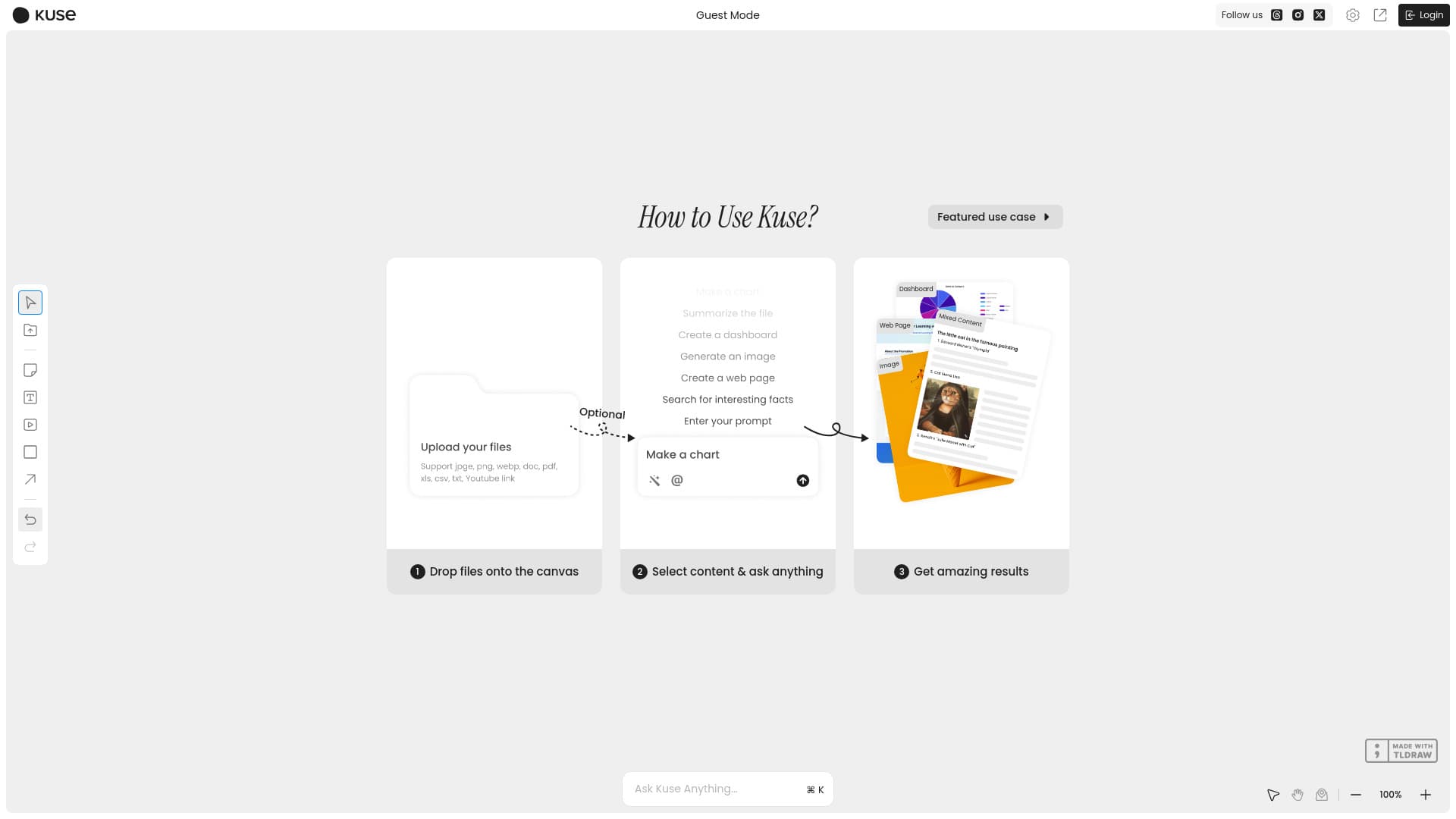
Kuse elevates AI beyond simple chat interactions by allowing you to upload various media—including files, videos, and links—and instantly convert disorganized inputs into structured, visual outputs. You can draft documents, remix slides, generate web pages, and prepare for meetings effortlessly. Kuse intelligently understands your workflow, target audience, and preferred format, delivering tailored results in your style. Experience seamless content creation where chaos transforms into clarity.
How to Use
Upload your files, videos, or links to the Kuse canvas. Use intuitive tools to organize and structure your inputs. Customize the output format—such as documents, slides, or web pages—and generate your content effortlessly. Collaborate and edit in real-time to refine your deliverables.
Features
- Offers a canvas-based visual environment for enhanced contextual control, unlike traditional chatbots.
- Supports diverse file uploads including PDFs, Excel spreadsheets, videos, and links with advanced comprehension.
- Includes MatchGen technology to ensure consistent output formatting across projects.
- Generates multiple formats such as Word documents, PDFs, slideshows, and web pages for versatile use.
Use Cases
- Content creation and editing
- Data analysis and report generation
- Meeting preparation and presentation design
- Research synthesis from multimedia sources
- Educational content development
- Project planning and organization
Best For
Pros
- Facilitates quick insights and actionable outputs
- All-in-one visual AI workspace for multiple content types
- Simple, intuitive process: upload, organize, ask
- Supports interactive engagement with files, links, and videos
Cons
- Limited features on free plan
- Requires internet connection for AI processing
- Learning curve for advanced features
Pricing Plans
Choose the perfect plan. All plans include 24/7 support.
Freemium
Access core features with limited uploads and exports; upgrade for advanced capabilities.
Get Started