

Laxis: Google Meet Transcription & Highlight
Smart meeting assistant for Google Meet featuring real-time transcription, summaries, and more to enhance productivity.
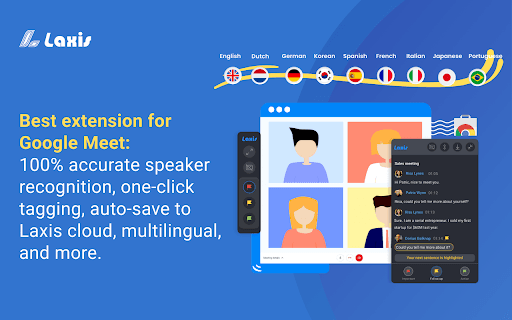
About Laxis: Google Meet Transcription & Highlight
Laxis is an intelligent meeting companion designed to optimize your Google Meet experience. It provides real-time transcription, speaker identification, quick tagging, AI-driven editing, concise summaries, and insights management. Laxis helps teams capture, organize, and review meeting content effortlessly, boosting overall productivity.
How to Use
Install the Laxis Chrome extension, open Google Meet in Chrome, and Laxis will automatically activate with captions. Use the panel to highlight key moments, enable auto-scrolling, and download transcripts. Create a free account to save recordings to the cloud and access premium features.
Features
- Search and retrieve past conversations
- Quick tagging of important points
- Speaker identification during meetings
- Manage insights and quotations easily
- AI-powered editing and smart summaries
- Auto-save recordings to cloud storage
- Real-time transcription during meetings
Use Cases
- Retrieve specific information from previous meetings.
- Automatically transcribe and summarize Google Meet sessions.
- Share key insights and summaries with team members.
- Highlight critical discussion points for review.
Best For
Sales professionalsResearchersFrequent Google Meet usersConsultantsEducatorsTeam leadersProject managers
Pros
- Enhances meeting efficiency through automated note-taking and summaries.
- Simple to use with seamless Chrome extension integration.
- Supports multiple languages, primarily English.
- Includes advanced features like AI editing and insights management.
- Delivers accurate, real-time transcription.
Cons
- Limited advanced features outside English language support.
- Optimal performance is achieved with English conversations.
- Premium features require a Laxis account.
FAQs
How can I start using Laxis with Google Meet?
Install the Laxis Chrome extension, open Google Meet in Chrome, and Laxis will automatically activate with live captions and transcription displayed on the panel.
Which languages does Laxis support?
Laxis works best with English. It also supports French, German, Portuguese (Brazil), and Spanish (Spain and Latin America), though some features may be limited in these languages.
How do I save my meeting notes?
Create a free Laxis account to automatically save recordings to the cloud or download your notes in Word, PDF, or TXT formats.
Can I edit transcripts after meetings?
Yes, Laxis offers AI-powered editing tools to refine transcripts and summaries for clarity and accuracy.
Is Laxis suitable for team collaboration?
Absolutely, Laxis facilitates sharing meeting insights, highlights, and transcripts with team members for better collaboration.