

LinkedIn Saved Jobs Extractor
A Chrome and Edge extension that simplifies exporting your LinkedIn saved jobs to CSV files or clipboard for better organization.
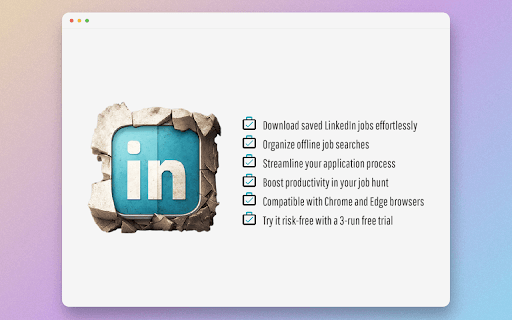
About LinkedIn Saved Jobs Extractor
LinkedIn Saved Jobs Extractor is a powerful browser extension compatible with Chrome and Edge. It streamlines the process of exporting saved LinkedIn jobs by allowing users to download their listings as CSV files or copy them to the clipboard. The extension features user-friendly customization options and an intuitive interface, making job organization and outreach more efficient.
How to Use
Install the extension, log in to your LinkedIn account, navigate to your saved jobs, and select the export option to download as CSV or copy to clipboard.
Features
- Export saved LinkedIn jobs to CSV or clipboard
- Manage and organize saved jobs easily
- Works seamlessly across Chrome and Edge
- Secure checkout for additional exports
- Customize wait times between pages
- Extract recruiter email addresses
- Set pagination and export limits
- Configure maximum number of jobs to export
Use Cases
- Reach out to recruiters using extracted emails
- Share saved jobs with career advisors
- Create backups of saved job listings
- Organize saved jobs for targeted applications
- Build tailored resumes from job descriptions
Best For
RecruitersJob seekersCareer advisorsRecruitment agenciesResume writers
Pros
- Automates extraction of job data to save time
- Provides direct access to recruiter contact info
- Offers free usage with sign-up
- Simple installation and user-friendly interface
- Flexible export options including CSV and clipboard
Cons
- Paid plans required for multiple exports
- Browser popups must be enabled
- Requires an active LinkedIn account
FAQs
How do I start using the LinkedIn Saved Jobs Exporter?
Install the extension, log into your LinkedIn account, go to your saved jobs, and choose the export option.
Is the extension compatible with both Chrome and Edge?
Yes, it works seamlessly with both Chrome and Microsoft Edge browsers.
Can I export my saved jobs to a CSV file?
Absolutely. The extension allows you to download your saved jobs as a CSV for easy management.
Are recruiter email addresses included in the export?
Yes, the extension can extract and include recruiter email contacts when available.
Is there a limit to the number of jobs I can export?
You can set a maximum number of jobs to export, with options to customize the limit based on your needs.