

ListenUp! - Capture feedback, record meetings
A Chrome extension designed to record, transcribe, and organize call insights effortlessly.
About ListenUp! - Capture feedback, record meetings
ListenUp! is a powerful Chrome extension that records and transcribes calls, enabling users to consolidate insights from conversations with other data sources for improved product decision-making.
How to Use
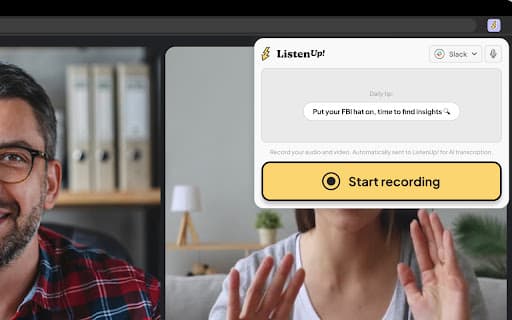
1. Install and pin the ListenUp! Chrome extension. 2. During a call, open the extension and click “Start Recording.” 3. When the call ends, click “Stop Recording.” Your recordings are automatically stored in the ListenUp! “Captures” section and transcribed for quick review.
Features
- High-quality call recording
- Automatic, accurate transcription
- Secure centralized insights storage
Use Cases
- Transcribe sales calls to analyze strategies and identify improvements.
- Document user feedback during product research sessions.
- Record customer interviews to extract key feedback and pain points.
Best For
UX researchersBusiness analystsSales teamsProduct managersCustomer support teams
Pros
- Centralized storage for calls and insights
- Auto transcription boosts productivity
- User-friendly Chrome extension
- Supports data-driven product decisions
Cons
- Limited by extension capabilities
- Transcription accuracy can vary
- Requires Chrome browser for operation
FAQs
How can I record a call with ListenUp!?
Install the extension, open it during your call, and click “Start Recording.” End the call by clicking “Stop Recording.”
Where are my call recordings stored?
All recordings are automatically saved in the ListenUp! “Captures” section for easy access.
Are calls transcribed automatically?
Yes, recordings are transcribed automatically to help you quickly review key insights.
Can I use ListenUp! on any browser?
No, it requires the Chrome browser to function properly.
Is the transcription service accurate?
Transcription accuracy may vary depending on audio quality but is optimized for clarity.