

Lunabot - ChatGPT on any webpages
A versatile, cross-platform ChatGPT assistant that boosts productivity directly within any webpage for more efficient work.
About Lunabot - ChatGPT on any webpages
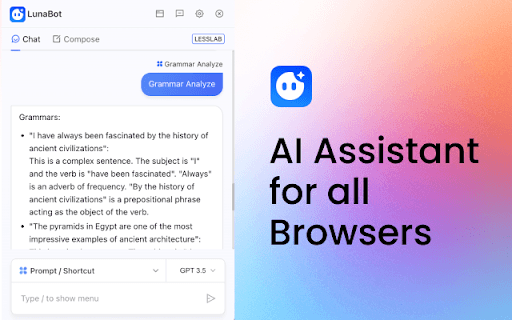
Lunabot is a cross-platform ChatGPT assistant designed to enhance work efficiency across various tasks. It seamlessly integrates with popular browsers, enabling users to quickly process selected text using intuitive commands and prompts. Supporting multiple AI models such as GPT-3, GPT-4, Claude, Claude v2, Claude 3, and Gemini Pro, Lunabot also saves chat history for future reference, making it an essential productivity companion.
How to Use
Add the Lunabot extension to your browser. Highlight any text on a webpage and invoke quick commands or prompts to perform tasks. Chat history is automatically stored for easy access later.
Features
- Persistent AI integration with multiple providers for continuous assistance
- Easy-to-use quick commands and prompts for efficient task execution
- Seamless ChatGPT integration on any webpage
- Automatic chat history saving for future reference
- Efficient processing of selected text
- Supports models: GPT-3, GPT-4, Claude, Claude v2, Claude 3, Gemini Pro
- Compatible across major browsers and operating systems
Use Cases
- Language translation
- Article summarization
- Professional email writing
- Grammar and style correction
- Mathematical and data calculations
Best For
TranslatorsResearchersOffice professionalsStudentsContent creators
Pros
- Supports multiple AI models for versatile tasks
- Compatible across various platforms and browsers
- Enhances productivity with quick commands and prompts
- Automatically saves chat history for continuity
- Enables efficient processing of selected text
Cons
- AI output quality depends on the chosen model
- Reliant on browser extension stability
FAQs
Which AI models are supported by Lunabot?
Lunabot supports GPT-3, GPT-4, Claude, Claude v2, Claude 3, and Gemini Pro models.
Does Lunabot store my chat history?
Yes, Lunabot automatically saves your chat history for easy access and reference.
What are common quick commands I can use with Lunabot?
Popular commands include summarizing articles, writing emails, translating text, correcting grammar, and performing calculations.
Is Lunabot compatible with all browsers?
Lunabot works seamlessly across major browsers like Chrome, Firefox, and Edge.
How do I install Lunabot on my browser?
Simply add the Lunabot extension from your browser's extension store and start using it immediately.