

MalwareAI Browser Security
A Chrome extension that leverages AI technology to detect and prevent malicious documents and links from harming your device.
About MalwareAI Browser Security
Malware.AI Browser Security for Chrome is a powerful extension that employs advanced image recognition and self-learning neural networks to identify malicious content in documents and links. It scans inline documents, downloaded files, and linked content, automatically blocking threats to prevent infections and data breaches.
How to Use
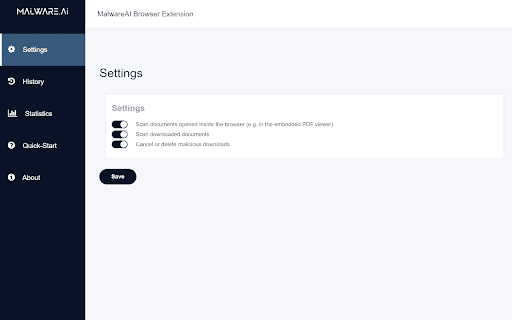
Access the extension via the Chrome context menu. It automatically scans documents and links upon opening or downloading. Users can manually block or unblock specific downloads and inline documents for added control.
Features
- AI-powered malware detection and prevention
- Manual options to block or unblock files
- Automatic blocking of malicious content
- Comprehensive scanning of inline, downloaded, and linked documents
Use Cases
- Securing document downloads
- Preventing phishing attacks with malicious links
- Avoiding malware infections from harmful documents
- Enhancing browsing safety for online users
- Protecting corporate networks from threats
Best For
General internet usersStudents and educatorsSmall and medium businessesSecurity-aware individualsIT professionals
Pros
- Utilizes advanced AI for effective malware detection
- Protects against a wide range of malicious documents and links
- No cost to use
- Provides manual control for blocking and unblocking
- Pre-scan documents before viewing or downloading
Cons
- Requires Google Chrome browser
- Detection accuracy depends on AI performance
- Limited to files up to 16MB in size
FAQs
How does Malware.AI Browser Security work?
It uses AI algorithms to scan and identify malicious documents and links, blocking them to prevent harm.
Is Malware.AI Browser Security free to install?
Yes, it is completely free and available for download.
What is the maximum file size the extension can scan?
It can scan files up to 16MB in size.
Can I manually block or unblock downloads?
Yes, the extension allows manual control to block or unblock specific files or links.
Does this extension work on all websites?
It works on all websites when browsing with Chrome, providing protection for inline and downloaded files.