

Meta Movie
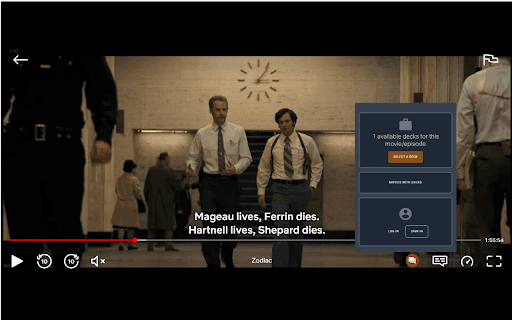
The Netflix overlay feature showcases informational fact-cards during video playback to enrich the viewing experience with contextual insights.
About Meta Movie
The Netflix overlay introduces contextual fact-cards at precise moments during video playback, providing viewers with relevant background information and engaging insights directly within the interface.
How to Use
Fact-cards automatically appear during video playback, offering relevant information without requiring user interaction. Simply start your video to see the overlay in action.
Features
- Real-time presentation of informational fact-cards
- Provides contextually relevant content
- Integrates seamlessly with the Netflix interface
Use Cases
- Nature documentaries with species details
- Historical dramas with background facts
- Educational content with supplementary information
Best For
Content creatorsNetflix subscribersDocumentary producersEducators and instructors
Pros
- Boosts viewer understanding and engagement
- Smooth, unobtrusive integration
- Adds valuable context without disrupting the video
Cons
- Requires precise timing and relevant fact-cards
- Creating accurate content can be resource-intensive
- May distract some viewers during playback
FAQs
How does the Netflix overlay determine when to display fact-cards?
The overlay uses synchronized timing and tags within the video to trigger fact-card display at relevant moments, ensuring contextual relevance.
Is it possible to customize the fact-cards shown during playback?
Customization options depend on the overlay implementation. Some allow user preferences, while others display preset content.
Can viewers turn off the fact-cards feature?
Yes, viewers can usually disable the overlay through settings if they prefer an uninterrupted viewing experience.
What types of content are best suited for fact-cards?
Educational videos, documentaries, and historical dramas benefit most from contextual fact-cards that provide additional insights.
Does the overlay work on all devices?
Compatibility varies; the feature is optimized for devices supporting Netflix's latest interface updates, including smart TVs, tablets, and smartphones.