

MUI for VS Code
The MUI VS Code Extension offers integrated documentation and AI-powered support for efficient MUI development within Visual Studio Code.
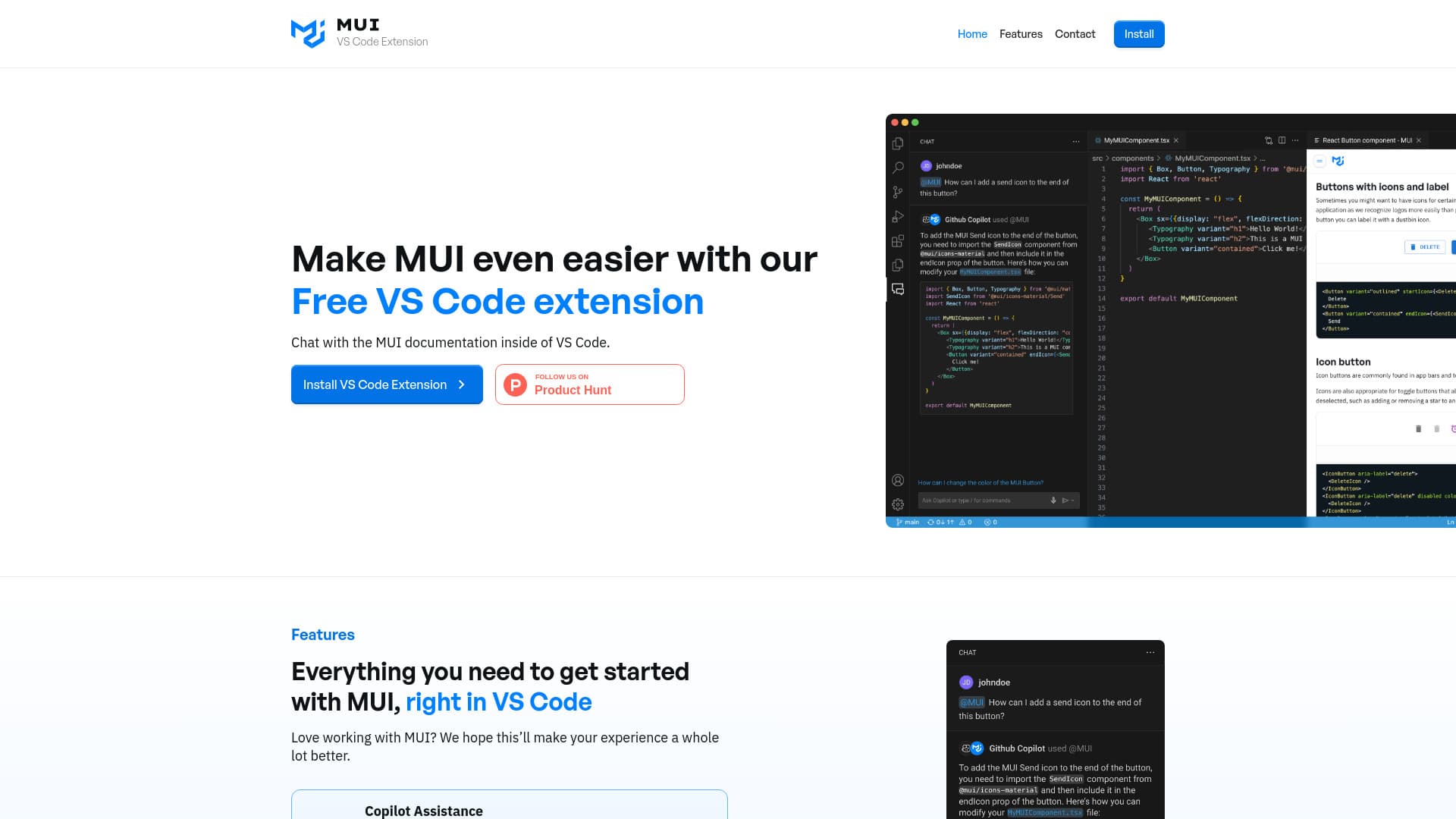
About MUI for VS Code
The MUI VS Code Extension enables developers to access in-editor documentation and AI assistance for MUI components directly within Visual Studio Code. By typing "@mui" in GitHub Copilot, users receive accurate, up-to-date answers referencing official MUI documentation. This extension streamlines the development process by offering quick access to resources, AI help, and feedback channels right inside the IDE.
How to Use
Install the extension in Visual Studio Code. In GitHub Copilot, type "@mui" followed by your question to receive accurate answers based on the latest MUI documentation.
Features
- Provides in-editor MUI component documentation (coming soon)
- Enables direct feedback to the MUI team (coming soon)
- Offers AI-powered assistance for MUI development
Use Cases
- Access MUI component documentation directly in VS Code
- Send feedback and suggestions to the MUI development team
- Obtain quick answers to MUI-related questions without leaving the editor
Best For
React developersWeb developersFrontend engineersUI/UX designersMUI users
Pros
- Provides AI-driven support for MUI development
- Facilitates direct feedback to the MUI team
- Seamlessly integrates with VS Code and GitHub Copilot
- Enables quick access to MUI documentation
Cons
- In-editor documentation search and feedback features are upcoming
- Dependent on GitHub Copilot for AI assistance
- Effectiveness depends on the quality of MUI docs and AI model
FAQs
How do I install and use the MUI VS Code Extension?
Download and install the extension from the VS Code Marketplace. In GitHub Copilot, type "@mui" followed by your question to access documentation and support.
What features are currently available in the extension?
Currently, AI-powered assistance is available. In-editor documentation and feedback features are scheduled for future release.
Can I provide feedback to the MUI team through this extension?
Yes, future updates will include direct feedback channels to help improve MUI components and documentation.
Is this extension compatible with all versions of Visual Studio Code?
The extension is compatible with recent versions of Visual Studio Code; check the marketplace for specific version requirements.
Does the extension support all MUI components?
The extension offers support for the most commonly used MUI components, with ongoing updates to expand coverage.