

Muse GPT Page
A powerful browser extension that leverages AI to summarize and organize web content efficiently.
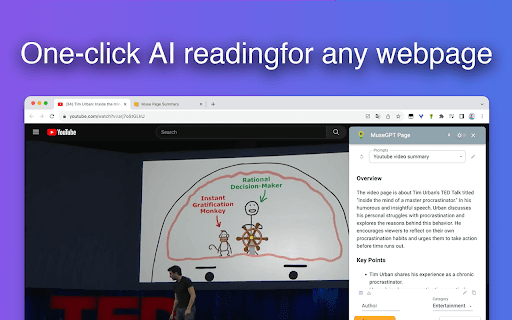
About Muse GPT Page
MuseGPT-Page is an innovative browser extension that utilizes OpenAI's ChatGPT technology to instantly generate summaries, highlight key timestamps, analyze user comments, and automatically categorize websites, including YouTube and Bilibili videos. Users can effortlessly save summaries and site details directly to Notion databases, streamlining content management and research workflows.
How to Use
Install the extension and follow the setup instructions. Click the extension icon or press Command+Shift+X (Windows: Ctrl+Shift+X) to activate features and start summarizing or saving content.
Features
- Supports multiple languages for broader accessibility
- Customizable prompts to tailor AI responses
- Summarizes videos from YouTube and Bilibili
- One-click saving of content and summaries to Notion
- Automated website classification and summarization with ChatGPT
- Extracts and analyzes subtitles for deeper insights
- Refines highlight timestamps for better clarity
Use Cases
- Summarize news articles quickly
- Translate web content into preferred languages
- Generate concise summaries of videos and articles
- Organize research materials efficiently in Notion
Best For
Students and learnersContent consumers with high online activityKnowledge workers and professionalsResearchers and academicsContent creators and digital marketers
Pros
- Highly customizable prompts for personalized results
- Supports popular platforms like YouTube and Bilibili
- Seamless integration with Notion for organized workflows
- Efficiently summarizes and categorizes web content
- Free to use with core features
Cons
- Dependent on OpenAI's ChatGPT for accurate summaries
- Subtitle download feature supports only default language temporarily
- Limited support for Bilibili series subtitles at present
FAQs
Is MuseGPT-Page free to use?
Yes, all core features are available free of charge.
How do I get started with MuseGPT-Page after installation?
After installing, follow the onboarding guide. Click the extension icon or press Command+Shift+X (Windows: Ctrl+Shift+X) to activate functionalities.
Which video platforms are compatible with MuseGPT-Page?
It supports video summarization for YouTube and Bilibili.