

My Ears
A privacy-centric audio transcription tool that runs locally within your web browser for secure and efficient speech-to-text conversion.
About My Ears
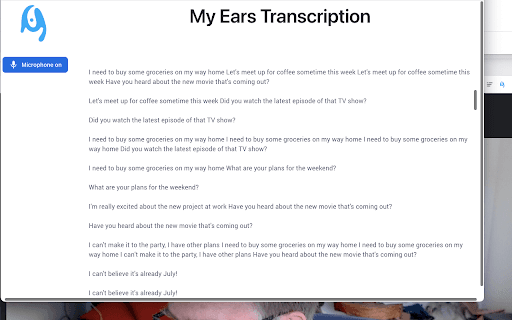
This privacy-focused Chrome extension enables secure audio transcription directly within your browser. It converts speech from browser tabs or microphone input into text without sending any data externally. By leveraging a WebAssembly module, it ensures user data remains local, providing a safe and private transcription experience for personal and professional use cases.
How to Use
Activate the extension to transcribe audio from your browser tab or microphone. It processes audio locally within the browser, eliminating the need for external servers or services. Simply start the extension to begin converting speech to text smoothly and securely.
Features
- Secure, privacy-focused audio transcription
- Processes audio locally within the browser
- Transcribes audio from Chrome tabs and microphone
- Utilizes WebAssembly for efficient processing
- Supports two-way conversation transcription with microphone input
Use Cases
- Transcribing personal conversations securely
- Enhancing accessibility for hearing-impaired users
- Capturing online meetings and webinars
- Converting browser audio content into text
Best For
Pros
- Supports transcription from browser tabs and microphones
- Offers fast processing with local execution
- Maintains high privacy and data security standards
- Eliminates dependency on external services
Cons
- Performance may depend on device specifications
- Higher resource usage compared to cloud solutions
- Accuracy varies based on audio quality