

OCR
Powerful OCR plugin designed for accurate text recognition from images and PDFs.
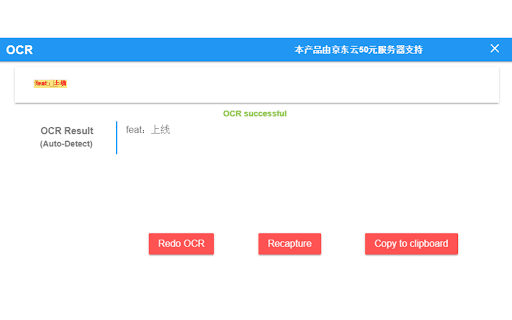
About OCR
This OCR (Optical Character Recognition) plugin enables users to convert images and PDF documents into editable text effortlessly. Capture screenshots or upload PDFs to extract text quickly, improving workflow and accessibility.
How to Use
Capture a screenshot with the plugin or upload a PDF. The plugin automatically recognizes and displays the text, ready for copying or editing. For PDFs, upload the file to extract embedded text seamlessly.
Features
- Supports PDF text extraction
- Converts screenshots to editable text
Use Cases
- Convert scanned PDFs into editable documents
- Extract text from images for documentation
Best For
Office professionalsResearchersWritersData entry specialistsStudents
Pros
- Easy screenshot-to-text conversion
- Enhances accessibility with editable text
- Automates accurate text transcription
- Supports PDF text extraction
Cons
- Recognition accuracy varies with image quality
- Large files may impact performance
- Manual corrections might be necessary
FAQs
How accurate is the OCR technology?
OCR accuracy depends on image clarity and font type. Clear images with standard fonts produce the best results, while complex fonts or low-resolution images may require manual editing.
Can this plugin recognize multiple languages?
Language support varies by plugin. Some support multiple languages, others are limited. Refer to the plugin documentation to confirm supported languages.
Is the OCR process fast?
Yes, the plugin processes images and PDFs quickly, enabling efficient text extraction for most typical file sizes.
Does the plugin work with large PDFs?
While it supports large PDFs, processing speed and accuracy can be affected by file size and complexity.
Can I edit the recognized text?
Yes, once the text is extracted, you can easily edit, copy, or save it for further use.