

OCR Text Recognition
All-in-one free PDF software for viewing, editing, converting, and managing PDF documents with ease.
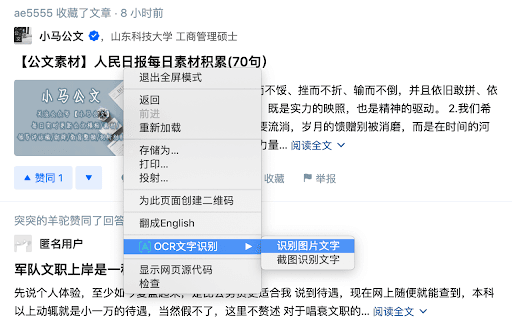
About OCR Text Recognition
PDFgear is a versatile, free PDF solution offering a wide range of features. It enables users to view, edit, convert, merge, split, compress, and sign PDF files effortlessly. Compatible with Windows, Mac, iOS, and online platforms, PDFgear provides a seamless experience across devices. Its intuitive interface simplifies complex tasks, making PDF management efficient and accessible for personal and professional use.
How to Use
Download and install PDFgear on your device or access it online. Open a PDF file and utilize the intuitive tools to edit, convert, sign, or compress your documents. The user-friendly interface ensures quick navigation and task execution for all users.
Features
- Digital signature capabilities
- Comprehensive PDF editing tools
- Merge and split PDF files efficiently
- Reduce file size with PDF compression
- Easy PDF viewing experience
- Convert PDFs to and from Word, Excel, PowerPoint, and images
Use Cases
- Correct errors or add information in PDF documents.
- Combine multiple PDFs into a single file for convenience.
- Split large PDFs into smaller, manageable files.
- Add digital signatures to authenticate documents.
- Compress PDFs to facilitate faster sharing.
- Convert PDFs to editable formats like Word or Excel.
Best For
Pros
- No limits on file size or document number
- All-in-one PDF management features
- Completely free without hidden fees
- Intuitive and easy-to-navigate interface
- Supports Windows, Mac, iOS, and online access
Cons
- Requires internet connection for online use
- Advanced editing features may be limited
- Occasional bugs or glitches possible