

Omniaxe
A powerful Chrome extension that simplifies data extraction, note-taking, and research analysis for efficient browsing and information management.
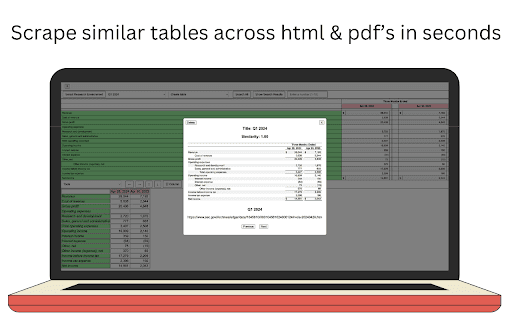
About Omniaxe
Omniaxe is a comprehensive Chrome extension designed to boost research productivity. It enables quick data extraction, organized note-taking, and advanced analysis directly within your browser, ideal for researchers, students, and analysts.
How to Use
Install the Omniaxe Chrome extension to easily capture data, organize notes, and perform analysis without leaving your browser environment.
Features
- Unified note-taking with tagging and quick search
- Optimized research workflow management
- Effortless data extraction from web pages and PDFs
- AI-powered insights and data analysis
Use Cases
- Organizing research findings efficiently
- Extracting tables and data from websites for analysis
- Generating summaries of research notes with AI
Best For
StudentsResearchersData AnalystsAcademic ProfessionalsMarket Researchers
Pros
- Centralized platform for note management and organization
- Enhances productivity with AI-driven insights
- Intuitive and easy-to-use interface
- Automates data extraction to save time
Cons
- Data extraction quality depends on source accuracy
- Requires Google Chrome browser
- AI analysis features may have limitations in complex scenarios
FAQs
What types of data can Omniaxe extract?
Omniaxe can extract tables and data from web pages and PDF documents.
Does Omniaxe include AI-powered analysis?
Yes, it offers AI tools to analyze your notes and data, providing summaries and insights.
Where are my notes stored in Omniaxe?
All notes are stored within the app, allowing easy tagging, organization, and instant search.
Is Omniaxe compatible with all browsers?
No, it is exclusively designed for the Google Chrome browser.
Can I use Omniaxe on multiple devices?
Yes, as long as you install the extension on each device and sync your data if supported.