

OneTap Clipboard App
OneTap is a versatile clipboard application that offers customizable shortcuts for fast copying and pasting across Apple devices, enhancing your productivity.
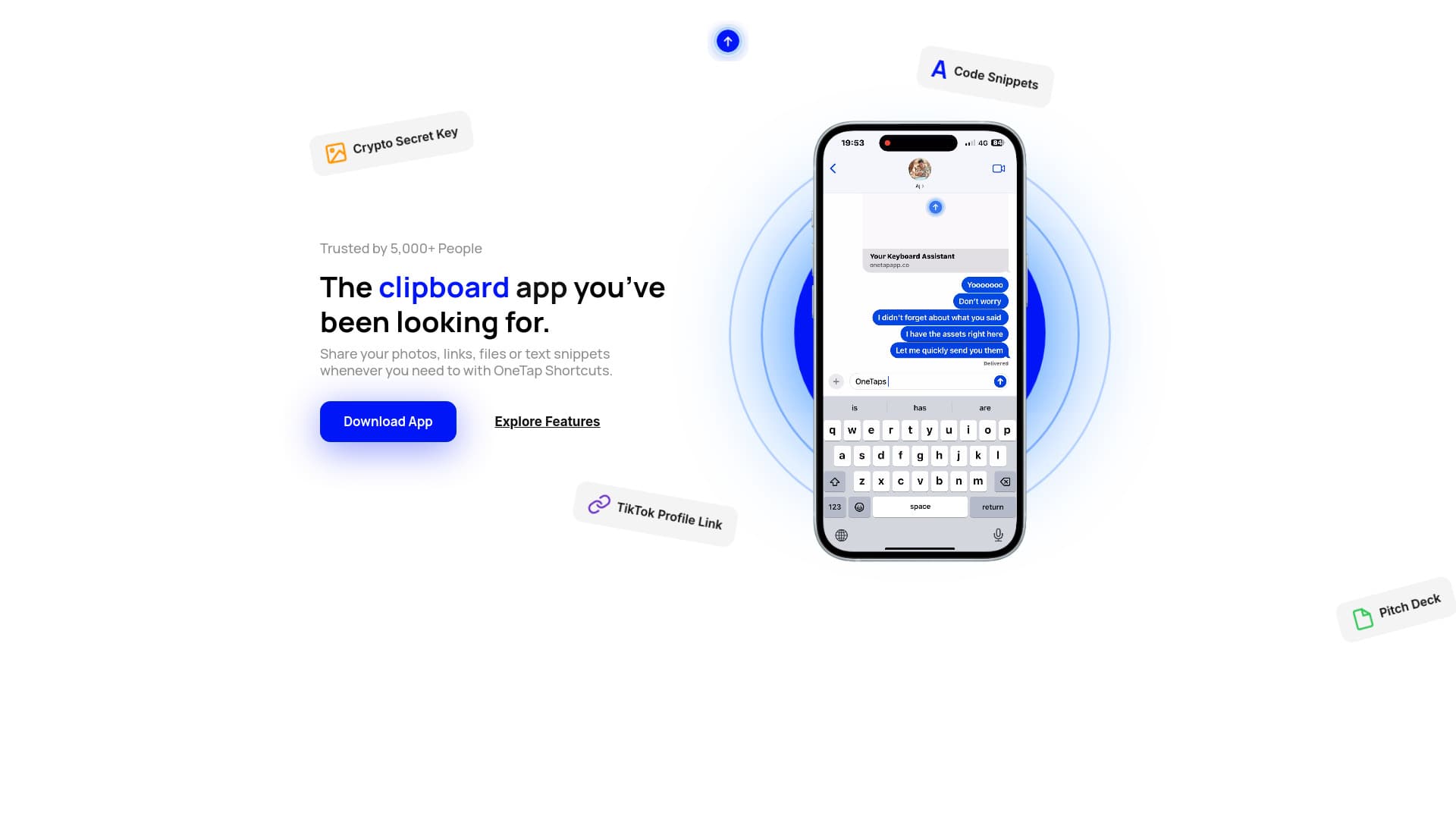
About OneTap Clipboard App
OneTap is a powerful clipboard management app designed to boost productivity with personalized shortcuts for copying and pasting content seamlessly across Apple devices. Users can store and quickly access links, images, files, and text snippets. It also features an AI shortcut to access ChatGPT effortlessly. The app's shortcuts are accessible on iPhone keyboards, Mac menu bars, and within Vision Pro, offering flexible usability across your Apple ecosystem.
How to Use
Easily save content with OneTap to copy and paste later with a single tap. Access shortcuts on your iPhone keyboard, Mac menu bar, or within Vision Pro, depending on your device for quick, efficient content sharing.
Features
- Customizable keyboard shortcuts for quick access
- AI shortcut to interact with ChatGPT
- Seamless cross-device synchronization
- Create and organize shortcut folders
- QuickActions for instant content sharing
Use Cases
- Sharing code snippets efficiently
- Inserting calendar links into messages
- Sharing files and images instantly
- Quickly sharing social media profiles
- Distributing portfolio links swiftly
Best For
Pros
- Consolidates all your content in one organized space
- Includes AI shortcut for ChatGPT access
- Syncs shortcuts seamlessly across all Apple devices
- Speeds up workflows with quick access to frequently used content
Cons
- Full feature access requires a subscription or purchase
- Limited free features available
- Requires compatible Apple hardware
Pricing Plans
Choose the perfect plan. All plans include 24/7 support.
Monthly Subscription
Access unlimited keyboard shortcuts, edit existing ones, utilize unlimited AI prompts, customize AI settings, organize shortcuts into folders, collaborate with others, and unlock Siri Shortcut actions.
Get StartedLifetime Access (One-Time Purchase)
Enjoy unlimited shortcuts, AI prompts, customization, folder organization, collaboration features, and Siri Shortcut unlocking with a single payment.
Get Started